
Compatible Wacom pen tablets
 DigitalBox
- Hardware
- August 11, 2025
If you own a Wacom pen tablet, depending on the model, it might be recognized under Haiku.
Let's review which models are compatible and how to use them.
The model I will showcase in this article is an old one - the Wacom Intuos4S - and the driver has been recently improved to include it.
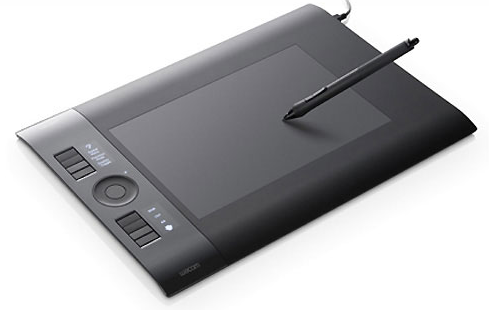
Compatible models list
According to the Haiku Wacom device driver's sources, you can use the below tablets:
- PenPartner
- PL-500
- Graphire
- BambooFun
- Intuos
- Cintiq
- PenStation
- Volito
- Bamboo
- Intuos3
- Intuos4
- Bamboo 2FG
- Bamboo Craft
- Bamboo CTH Series
- One by Wacom CTL-671
- One by Wacom CTL-672
- Cintiq 13HD
If you own one of these tablets, it's a nice addition when using software like Krita or ArtPaint applications.
When opening the Input preferences application, you should see an entry named "Wacom Tablet":
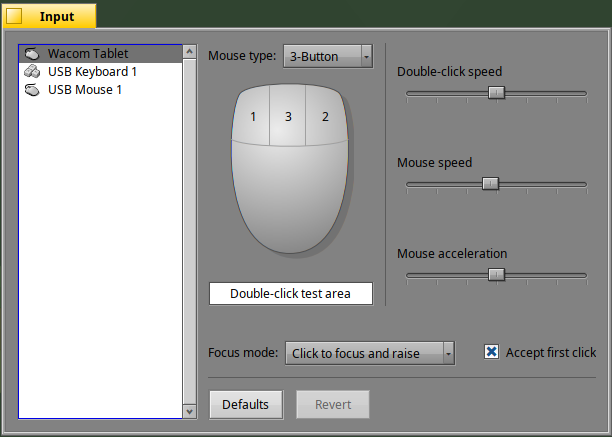
Please note the "mouse speed" and "mouse acceleration" parameters don't have any effect with the pen tablet.
Today the driver is very limited because additional buttons are not recognized and the Input preferences application consider that kind of devise as a mouse - and not a tablet.
You can also verify the model which is connected to your machine with the below command:
listusb
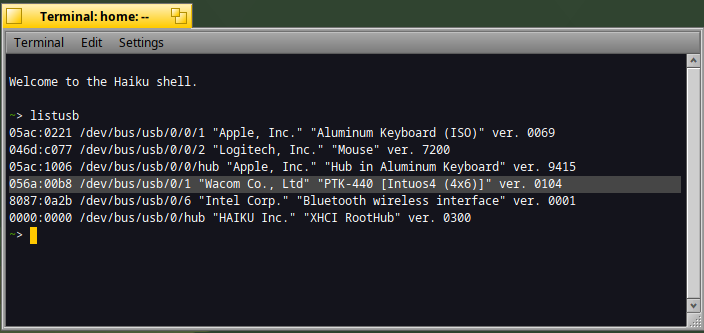
As displayed above, my model is the Wacom Intuos4 (4x6 inches).
Do you use other models which are recognized under Haiku?
You can put a comment below to indicate the details.