
Downgrading a package
 DigitalBox
- Tips
- September 21, 2026
Sometimes a package update introduces a problem, and you may want to go back to the previous version.
Fortunately, Haiku keeps previous package versions in the administrative directory.
Use case
Last week, there was a curl issue preventing to use WebPositive on my system.
Both curl library and devel versions were installed:

Finding the previous package
Every time pkgman installs, updates or removes packages, Haiku creates a new state under:
/boot/system/packages/administrative/
These states contain copies of packages that were replaced or removed.
In my case I remember of a lib curl update a few days ago:

Confirmed!
You can also search for the package from the Terminal via the find command:
find /boot/system/packages/administrative -name "*curl*.hpkg"
Installing the old version
Once you have found the previous package, simply install it with pkgman:
pkgman install /boot/system/packages/administrative/state_2026-09-11_13:25:03/curl-8.21.0-1-x86_64.hpkg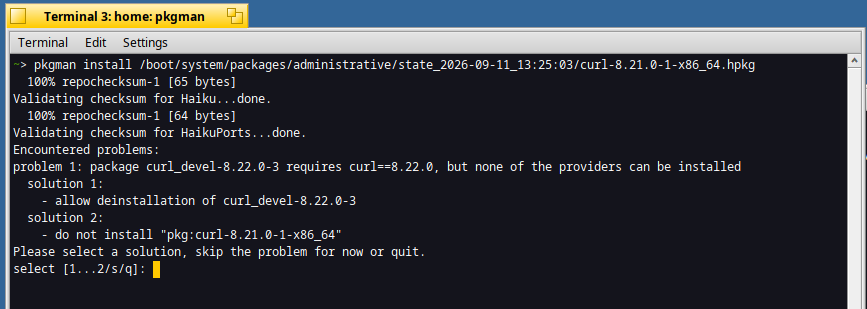
It will replace the currently installed version with the package you selected: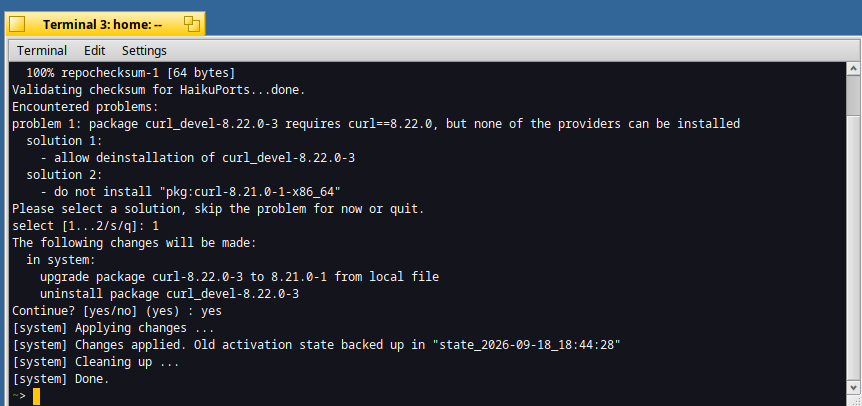
After the installation, check the installed version.
You can use for instance the openpackage script:
openpackage /bin/curl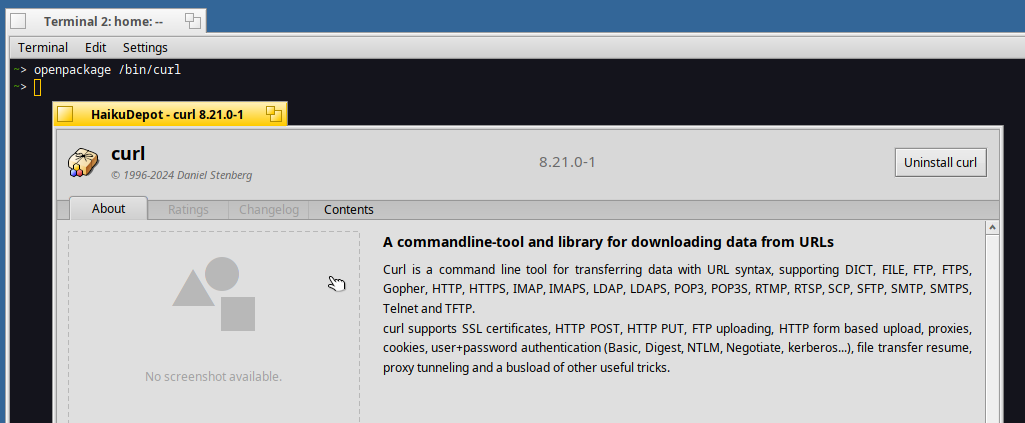
The previous version is indeed the one used by the system:)
Why does this work?
Haiku does not install packages by extracting their files directly into /boot/system.
Packages are mounted through packagefs, and Haiku keeps previous package states so that the system can be rolled back if necessary.
This means that the administrative directory is more than just a cache: it can be a very useful safety net when a package update causes trouble.
Don't delete old states if you think you may need them for a rollback.
Haiku can clean up old states automatically, and pkgman cleanup can also be used to remove states that are no longer needed.
Updating again
Once the package was fixed again and published, it was possible to update it again.
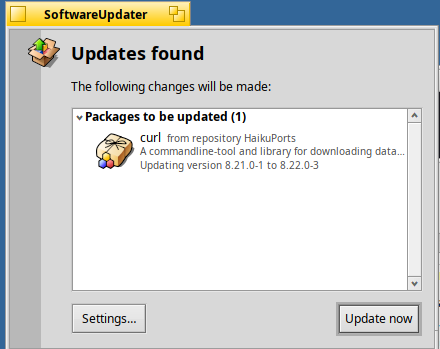
SoftwareUpdater did the job:
You just need to confirm the installation:
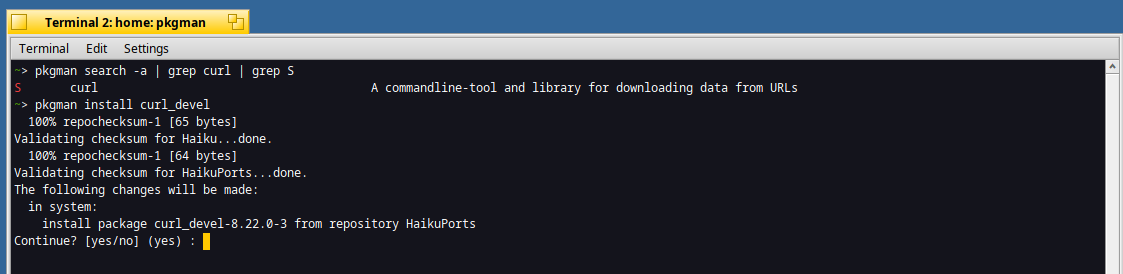
Please note the devel version is not installed by default, so if you need it again proceed with pkgman in the Terminal:
pkgman install curl_devel
Next time you have an issue with a package, you should know what to do :)