
Haiku ARM64 port
 Administrator
- News
- May 4, 2026
Great news for the Haiku ARM64 port : Desktop Now Boots in QEmu!
Thanks to the effort of community contributor smrobtzz, as of hrev59575, the port is already mostly stable in QEmu.
Most recently, smrobtzz got Haiku booting inside UTM with some small fixes — though mouse movement is currently slow and choppy, making the experience a bit rough for daily use.
The nightly ARM64 images are available at https://download.haiku-os.org/nightly-images/arm64/
I've been able to launch the latest nightly image via QEmu on my MacBook Pro 2019 with the below command:
qemu-system-aarch64 \
-M virt \
-cpu max \
-m 2G \
-smp 4 \
-bios /usr/local/Cellar/qemu/9.1.2/share/qemu/edk2-aarch64-code.fd \
-device qemu-xhci,id=usb \
-drive file=./haiku-master-hrev59665-arm64-mmc.image,if=none,id=drv0,format=raw \
-device usb-storage,bus=usb.0,drive=drv0 \
-device usb-kbd,bus=usb.0 \
-device usb-tablet,bus=usb.0 \
-device ramfb \
-display cocoa,zoom-to-fit=on \
-serial stdio
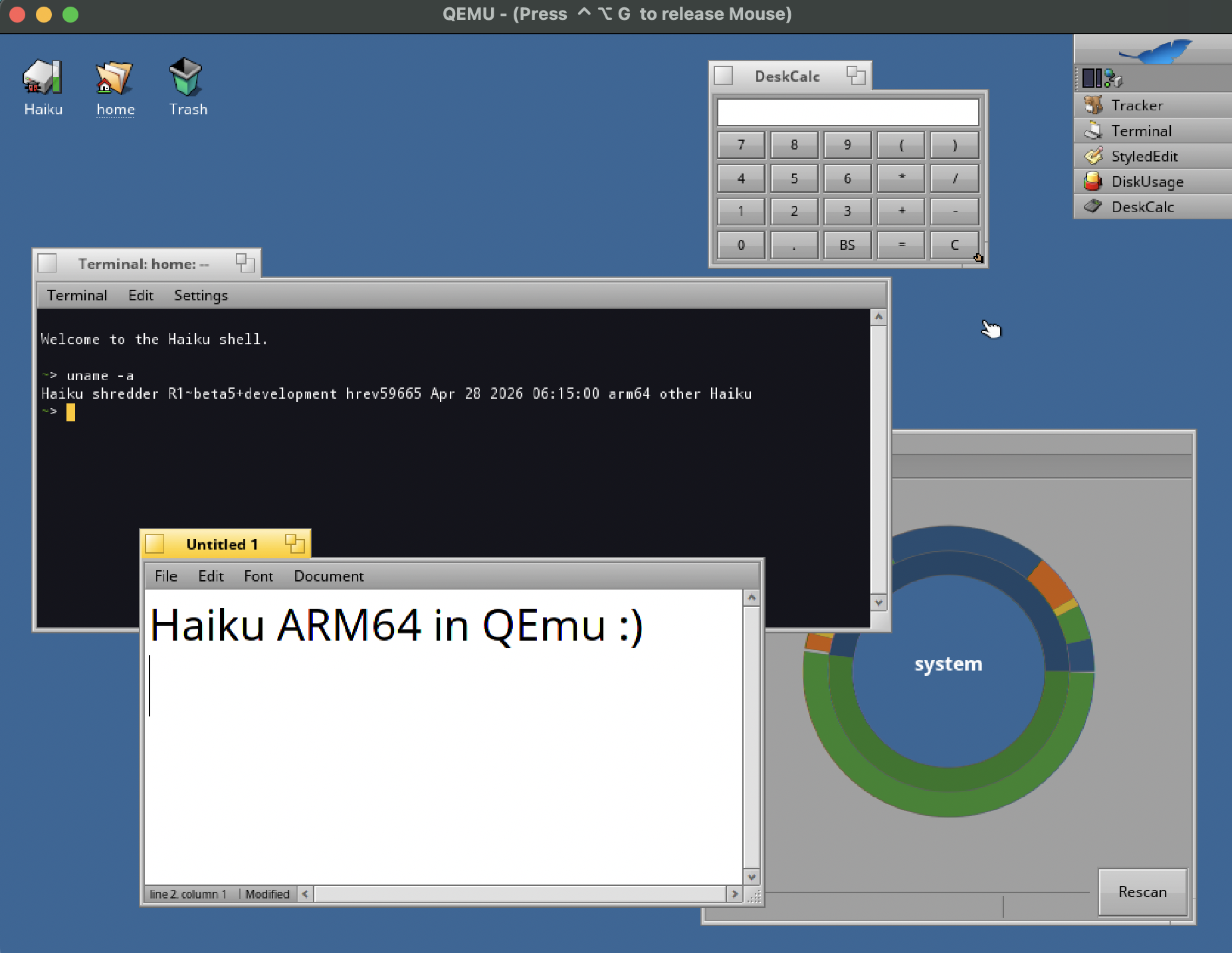
This is a first big step before having Haiku ARM64 on real hardware like M1 MacBook Air or Raspberry Pi 5.