
Locale Kit: introduction
 DigitalBox
- KitLab
- January 12, 2026
Understanding the Locale Kit
The Locale Kit in Haiku provides a complete framework for managing language, region, and cultural preferences.
It allows developers to format text, numbers, dates, and times according to the user’s locale settings.
In other words, it is what makes your applications feel native in any language — whether you display “3,14” in French or “3.14” in English, or format a date like “04/11/2025” versus “11/04/2025”.
The Kit is composed of several key classes:
-
BLocale— represents the current locale (language, formatting rules, etc.). -
BLocaleRoster— gives access to available locales, countries, and user preferences. -
BDateFormat,BTimeFormat, andBNumberFormat— format values (dates, times, numbers) according to the locale.
Let’s explore these classes in practice.
Example: displaying locale information
Below is a small program that demonstrates how to use the Locale Kit to:
-
Retrieve the current language and preferred settings,
-
Display localized date, time, and numbers,
-
React dynamically when you change your system’s locale in Preferences → Locale.
#include <Application.h>
#include <Locale.h>
#include <LocaleRoster.h>
#include <DateFormat.h>
#include <TimeFormat.h>
#include <NumberFormat.h>
#include <String.h>
#include <iostream>
#include <ctime>

class LocaleDemoApp : public BApplication {
public:
    LocaleDemoApp()
        : BApplication("application/x-vnd.kitlab-localeexample")
    {
        ShowLocaleInfo();
        PostMessage(B_QUIT_REQUESTED);
    }

private:
    void ShowLocaleInfo()
    {
        BLocale locale;

        // Get the current language
        BLanguage language;
        if (locale.GetLanguage(&language) == B_OK) {
            BString langName;
            language.GetName(langName);
            std::cout << "Language: " << langName.String() << std::endl;
        } else {
            std::cout << "Language: (unknown)" << std::endl;
        }

        // Get preferred languages via LocaleRoster
        BLocaleRoster* roster = BLocaleRoster::Default();
        if (roster != nullptr) {
            BMessage langs;
            if (roster->GetPreferredLanguages(&langs) == B_OK) {
                std::cout << "Preferred languages: ";
                const char* langCode = nullptr;
                bool first = true;
                int32 index = 0;
                while (langs.FindString("language", index, &langCode) == B_OK) {
                    if (!first)
                        std::cout << ", ";
                    std::cout << langCode;
                    first = false;
                    index++;
                }
                std::cout << std::endl;
            }
        }

        // Format current date/time using the current locale
        time_t now = time(nullptr);
        BDateFormat dateFormat;
        BTimeFormat timeFormat;

        BString dateString;
        BString timeString;
        dateFormat.Format(dateString, now, B_SHORT_DATE_FORMAT);
        timeFormat.Format(timeString, now, B_SHORT_TIME_FORMAT);

        std::cout << "\nLocalized date/time:" << std::endl;
        std::cout << "  Date: " << dateString.String() << std::endl;
        std::cout << "  Time: " << timeString.String() << std::endl;

        // Localized number formatting
        BNumberFormat numberFormat;
        double value = 12345.6789;
        BString numberString;
        numberFormat.Format(numberString, value);

        std::cout << "\nLocalized number:" << std::endl;
        std::cout << "  " << numberString.String() << std::endl;

        std::cout << "\n(Change your locale in Preferences → Locale and re-run to see differences.)" << std::endl;
    }
};

int main()
{
    LocaleDemoApp app;
    app.Run();
    return 0;
}
Compile and run
Compile it with the BeAPI library:
Then run the program:
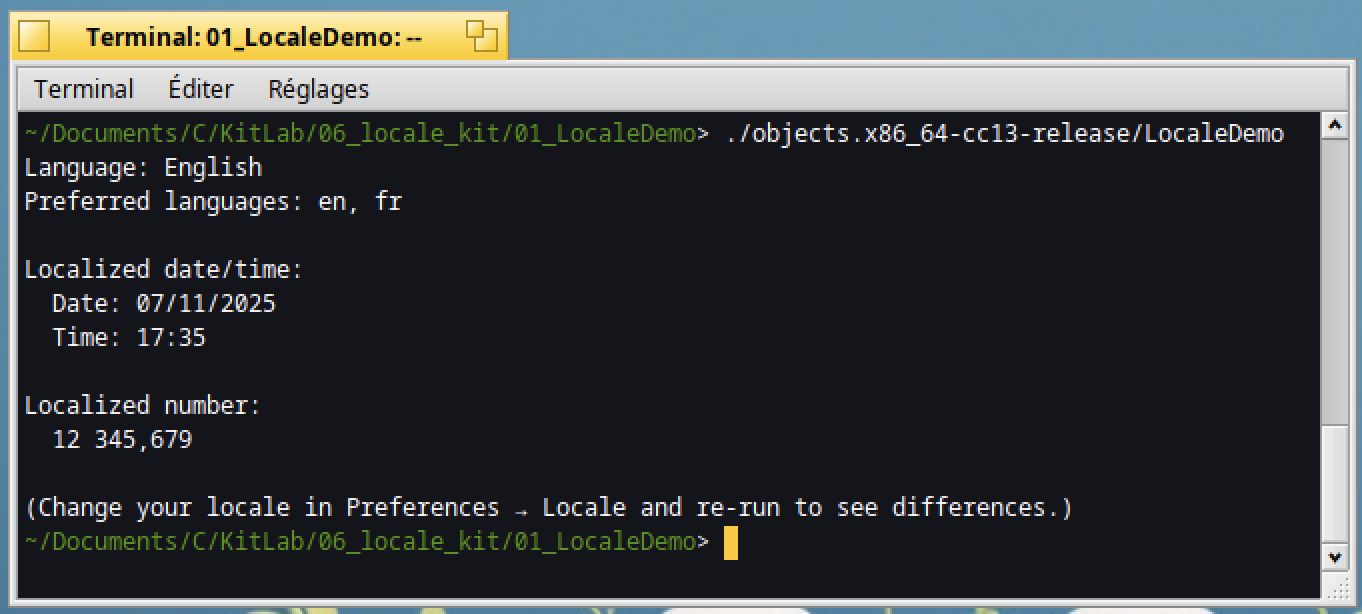
You should see an output similar to this (depending on your system locale):
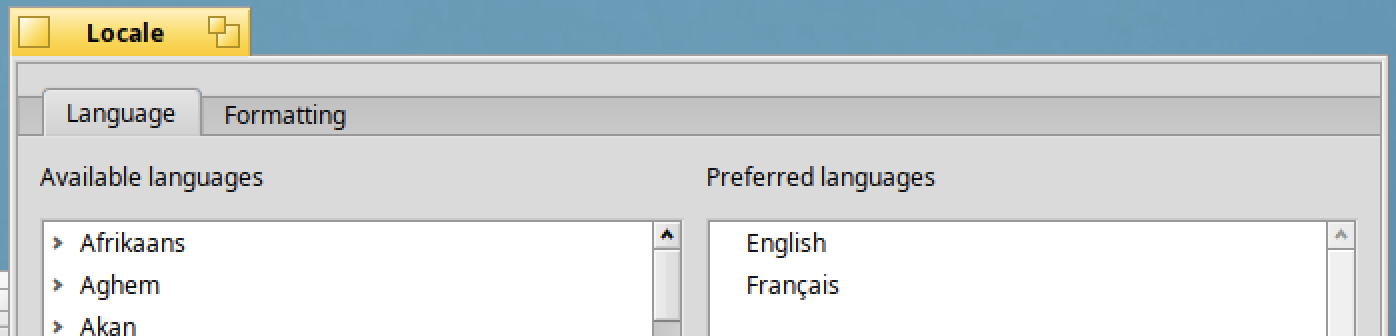
Open the Locale preferences.
As you can see the selected language is English (as the first one):
Now click on the Formatting tab:
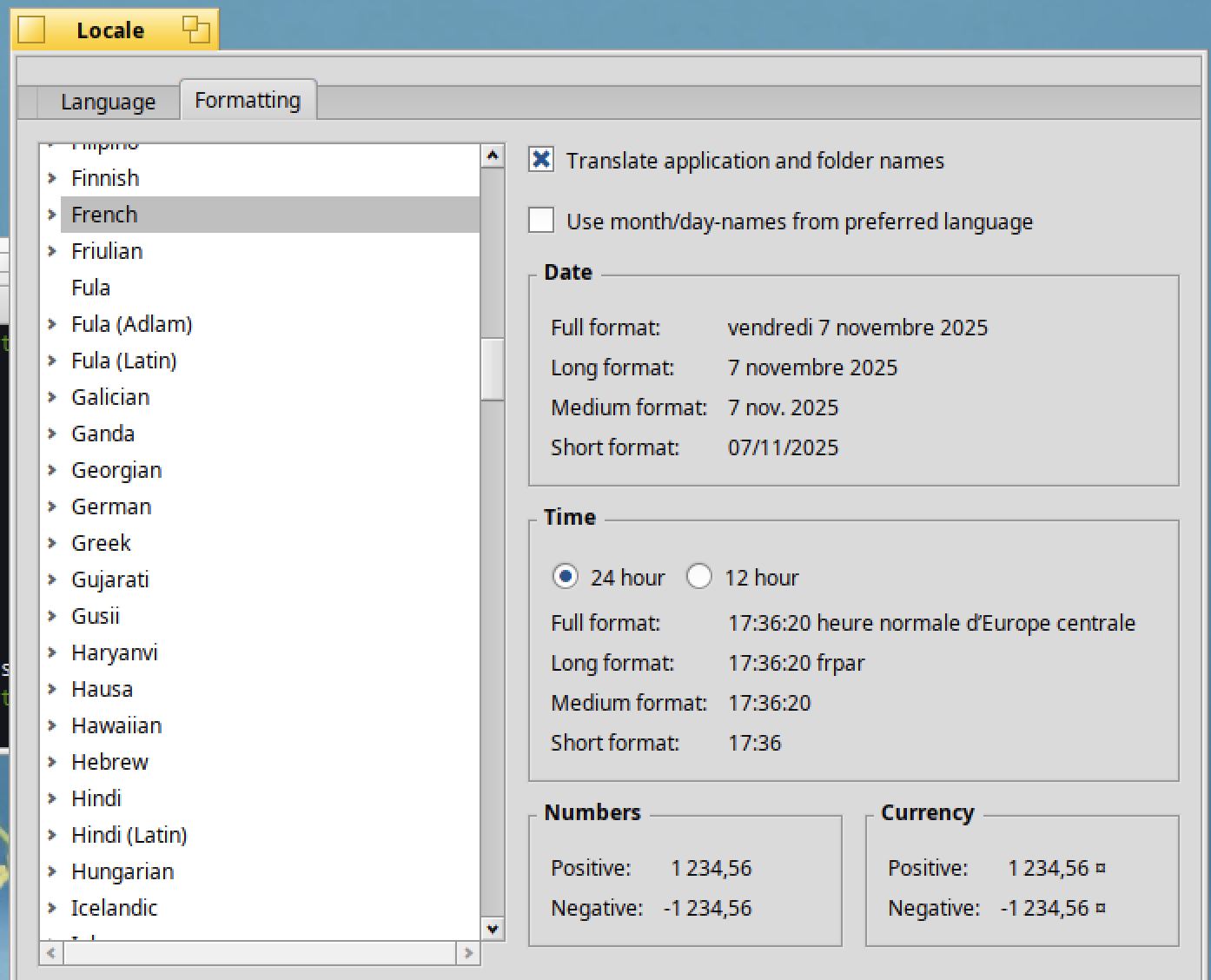
The date/number convention is in French which is what the LocalDemo program has shown before :)
Now switch your system Locale preferences to:
- French for the language
- English for the date/number convention
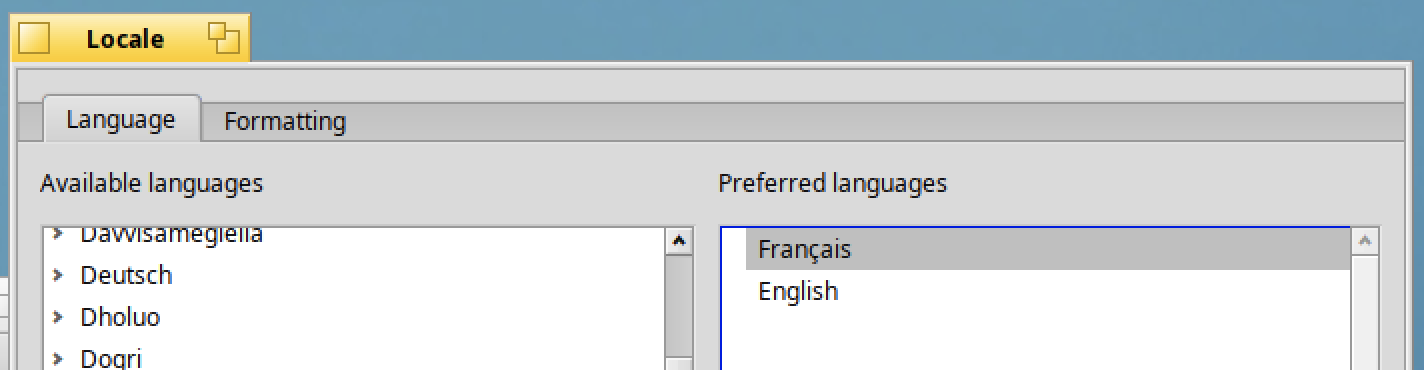
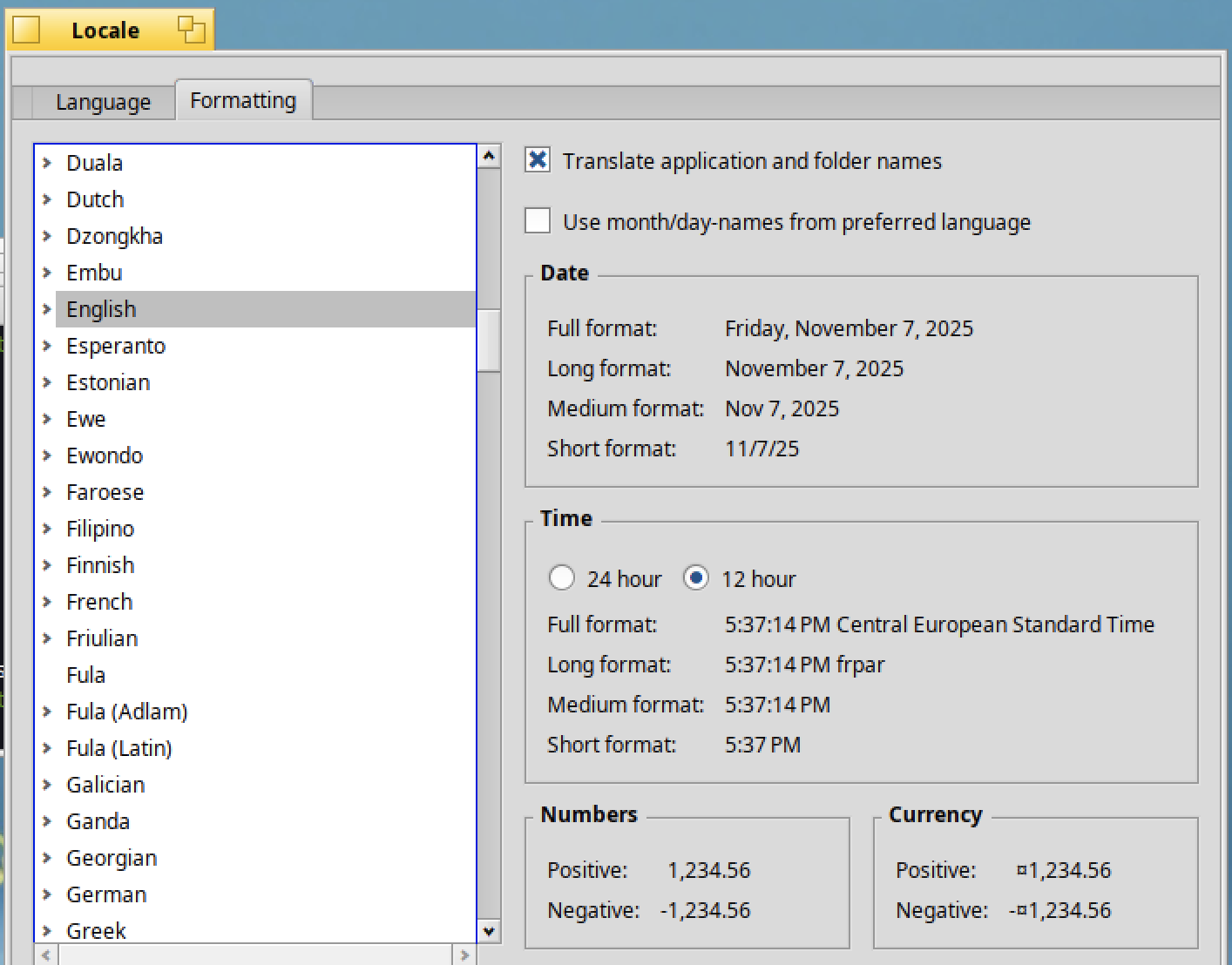
Then re-run the program.
You’ll get something like:
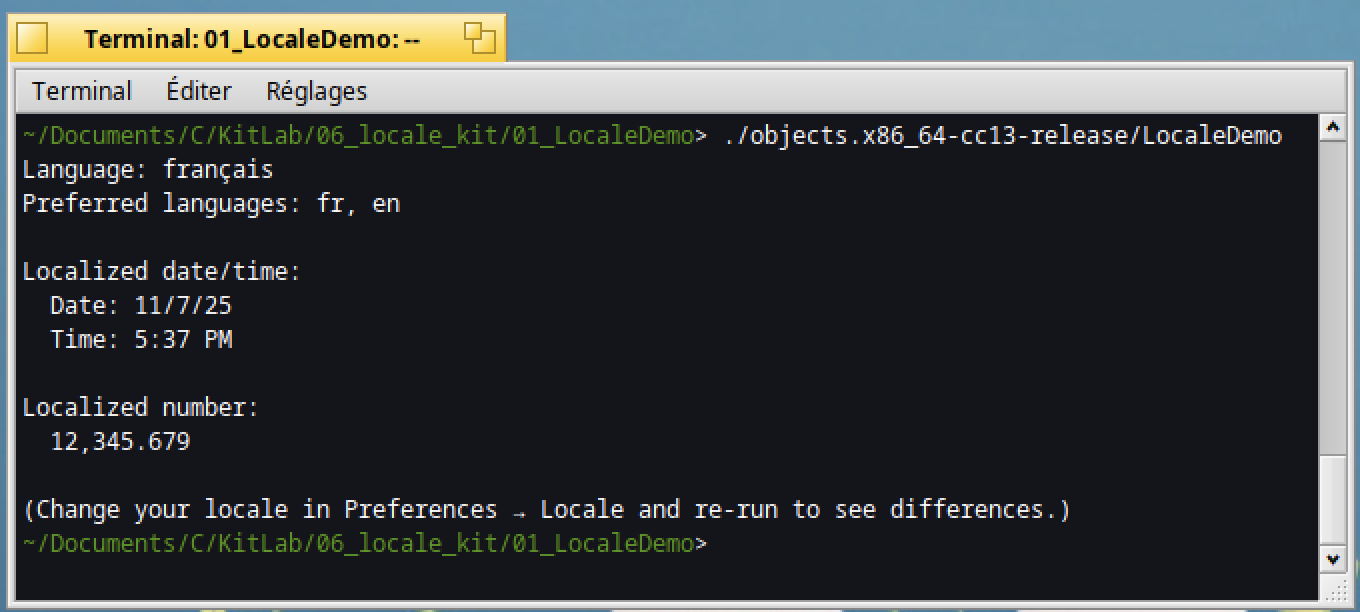
It's working fine according to your new Locale preferences!
How it works
The Locale Kit makes it easy to:
-
Query user preferences for language and region,
-
Automatically adapt date/time and number formatting,
Haiku’s architecture ensures that this formatting logic is consistent across all apps.
Changing your system language immediately affects all applications that rely on the Locale Kit.
What’s Next
You’ve just seen how Haiku’s Locale Kit handles regional settings — adapting numbers, dates, and formats automatically to the user’s preferences.
But true localization goes beyond formatting.
In the next KitLab article, we’ll explore how to translate your application’s interface using the same Locale Kit.
You’ll learn to use B_TRANSLATE(), generate and manage translation files, and make your applications speak multiple languages effortlessly.
Stay tuned!