profile location
 DigitalBox
- System
- July 7, 2025
If you're using a lot the Terminal on Haiku, you might be wondering where to put your useful functions or favorite setup.
The way to go on Haiku is the "profile" file, and I will explain where it's located.
System profile
There's an existing profile file which is at the system level.
It's located in the fullpath: /boot/system/settings/etc/profile
The aim of the system profile is to provide system-wise setup for the Terminal.
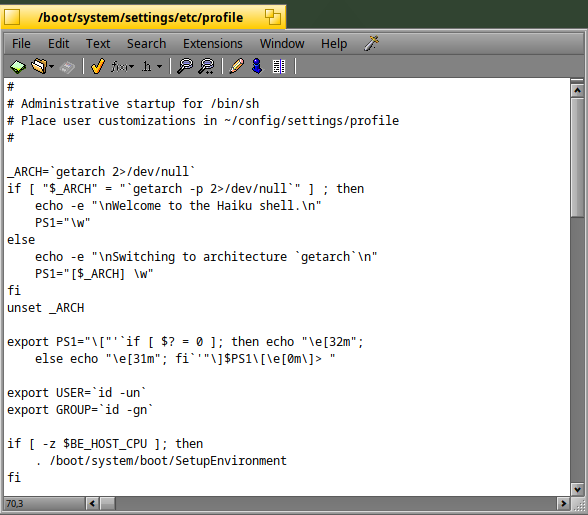
As you can see below, it's defining the Terminal prompt (PS1) and user global variables like the current USER and GROUP:
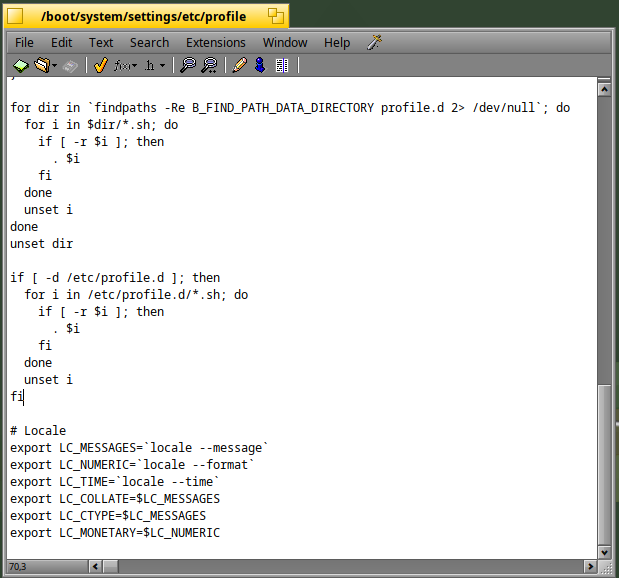
It's also used to execute shell scripts located in B_FIND_PATH_DATA_DIRECTORY or in the /etc/profile.d:
User profile
What about defining your own function or variables?
The right file to use for that is : /boot/home/config/settings/profile
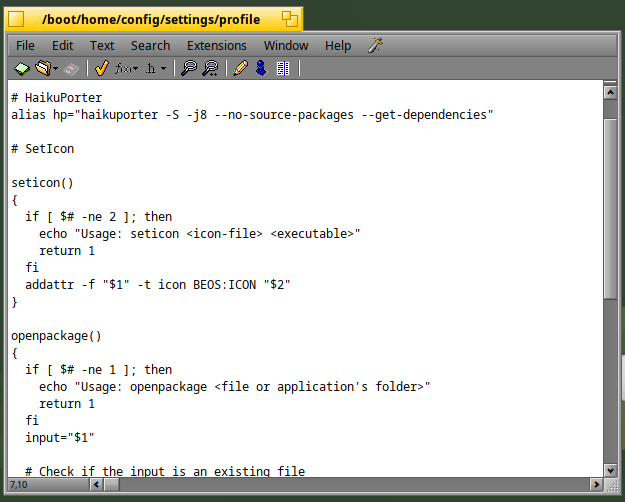
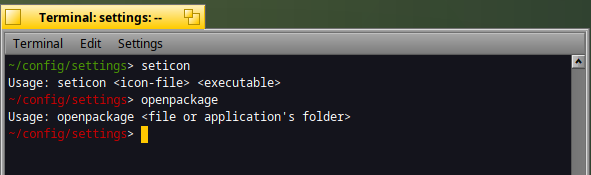
On my system, it contains an alias for HaikuPorter, or functions to facilitate the setup of an icon on a file, or the identification of a package:
In a Terminal, if I call one of these functions, it will be recognized:
Moving forward
The profile file is relative to the setup of the Terminal.
If you would like to know more, you can check the official web page:
https://www.haiku-os.org/docs/userguide/en/applications/terminal.html
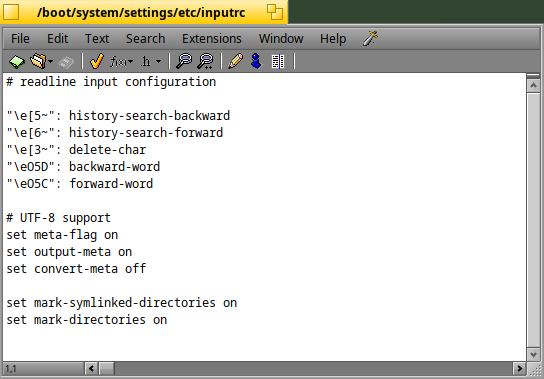
Another setup file which you might use is "inputrc" (equivalent of bashrc) located in /boot/home/config/settings/inputrc
It will be useful to override the system "inputrc" located in /boot/system/settings/etc/inputrc and dedicated to key bindings: