
Storage Kit: searching files by attributes
 DigitalBox
- KitLab
- January 5, 2026
In the previous KitLab article, we explored file attributes using BNode, BNodeInfo, and BAppFileInfo.
Now it’s time to go further: searching the filesystem efficiently with BQuery, Haiku’s powerful API for querying files based on their attributes.
With BQuery, you can:
-
Find files by MIME type (e.g.,
text/plain) -
Search for files with custom attributes (like
"Comment") -
Combine multiple criteria for advanced searches
BQuery leverages the indexed filesystem (BFS) for fast and flexible searches.
What is BQuery?
A BQuery object represents a search operation in the filesystem.
Rather than scanning directories manually, BQuery lets you search for files based on their metadata — names, MIME types, or custom attributes — using the existing BFS indexes.
BQuery can:
-
Define search criteria with
PushAttr(),PushString(), andPushOp() -
Limit the search to a specific volume using
SetVolume() -
Return matches as
entry_refobjects, ready to be used withBEntryorBNode
Querying Files by MIME type
This first example searches your home directory for all files whose MIME type is text/plain.
Source Code: QueryMimeType.cpp
#include <Application.h>
#include <Entry.h>
#include <Directory.h>
#include <FindDirectory.h>
#include <Path.h>
#include <Volume.h>
#include <Query.h>
#include <stdio.h>
#include <string.h>

class ListTextFilesApp : public BApplication
{
public:
    ListTextFilesApp()
        : BApplication("application/x-vnd.kitlab-listtextfiles")
    {
        RunQuery();
        PostMessage(B_QUIT_REQUESTED);
    }

private:
    void RunQuery()
    {
        // --- Locate the home directory ---
        BPath homePath;
        if (find_directory(B_USER_DIRECTORY, &homePath) != B_OK) {
            printf("Failed to find home directory.\n");
            return;
        }

        BDirectory homeDir(homePath.Path());
        BVolume volume;
        if (homeDir.GetVolume(&volume) != B_OK) {
            printf("Failed to get volume for home directory.\n");
            return;
        }

        // --- Display search info ---
        const char* mimeType = "text/plain";
        printf("Searching in: %s\n", homePath.Path());
        printf("Looking for files with MIME type: %s\n\n", mimeType);

        // --- Create and configure the query ---
        BQuery query;
        query.SetVolume(&volume);
        query.PushAttr("BEOS:TYPE");
        query.PushString(mimeType);
        query.PushOp(B_EQ);

        if (query.Fetch() != B_OK) {
            printf("Failed to fetch query.\n");
            return;
        }

        // --- Iterate through the results ---
        entry_ref ref;
        int32 count = 0;

        while (query.GetNextRef(&ref) == B_OK) {
            BEntry entry(&ref);
            BPath path(&entry);

            // Only show files located inside $HOME
            if (strncmp(path.Path(), homePath.Path(), strlen(homePath.Path())) == 0) {
                printf("Found: %s\n", path.Path());
                count++;
            }
        }

        // --- No result case ---
        if (count == 0)
            printf("No files found matching this query.\n");
    }
};

int main()
{
    ListTextFilesApp app;
    app.Run();
    return 0;
}
How It Works
-
Find the home volume –
find_directory()locates/boot/home, thenGetVolume()retrieves the BFS volume. -
Build the query –
PushAttr("BEOS:TYPE")andPushString("text/plain")define the condition. -
Execute it –
Fetch()starts the search, returning matching entries throughGetNextRef(). -
Display results – Each
entry_refis converted into aBPathfor printing.
⚠️ Files must be indexed by Tracker to appear in results.
If a file was recently created or modified, reindex it using the Terminal command:
Querying files by a custom attribute
Before compiling and running the previous example, let's take another use case.
What about finding all files that have a custom attribute named "Comment"?
This time, we’ll combine two filters: one for the mime type, and one for the attribute itself.
Source Code: QueryAttribute.cpp
#include <Application.h>
#include <Entry.h>
#include <Directory.h>
#include <FindDirectory.h>
#include <Path.h>
#include <Volume.h>
#include <Query.h>
#include <stdio.h>
#include <string.h>

class ListCommentFilesApp : public BApplication
{
public:
    ListCommentFilesApp()
        : BApplication("application/x-vnd.kitlab-listcommentfiles")
    {
        RunQuery();
        PostMessage(B_QUIT_REQUESTED);
    }

private:
    void RunQuery()
    {
        // --- Locate the home directory ---
        BPath homePath;
        if (find_directory(B_USER_DIRECTORY, &homePath) != B_OK) {
            printf("Failed to find home directory.\n");
            return;
        }

        BDirectory homeDir(homePath.Path());
        BVolume volume;
        if (homeDir.GetVolume(&volume) != B_OK) {
            printf("Failed to get volume for home directory.\n");
            return;
        }

        // --- Display query information ---
        printf("Searching in: %s\n", homePath.Path());
        printf("Looking for files that have a 'Comment' attribute.\n\n");

        const char* mimeType = "text/plain";

        // --- Create and configure the query ---
        BQuery query;
        query.SetVolume(&volume);

        // Look for any file that has the text/plain mime type and the "Comment" attribute
        query.PushAttr("BEOS:TYPE");
        query.PushString(mimeType);
        query.PushOp(B_EQ);

        query.PushAttr("Comment");
        query.PushString("*");
        query.PushOp(B_EQ);

        // Comnine both conditions
        query.PushOp(B_AND);

        // Run the query
        if (query.Fetch() != B_OK) {
            printf("Failed to fetch query.\n");
            return;
        }

        // --- Iterate through the results ---
        entry_ref ref;
        int32 count = 0;

        while (query.GetNextRef(&ref) == B_OK) {
            BEntry entry(&ref);
            BPath path(&entry);

            // Only show files located inside $HOME
            if (strncmp(path.Path(), homePath.Path(), strlen(homePath.Path())) == 0) {
                printf("Found: %s\n", path.Path());
                count++;
            }
        }

        // --- Handle empty result ---
        if (count == 0)
            printf("No files found with a 'Comment' attribute.\n");
    }
};

int main()
{
    ListCommentFilesApp app;
    app.Run();
    return 0;
}
How It Works
-
Each condition (
mimetypeandComment) is defined withPushAttr()andPushString(). -
PushOp(B_AND)combines the conditions so that only files satisfying both appear in the results. -
GetNextRef()returns each match as anentry_ref. -
The output lists every file under
$HOMEwith a"Comment"attribute.
Compile and Run
From the Terminal, compile both programs:
Query for a MIME type
Launch the first program:
You might have the below result, meaning no "text/plain" file was found in the $HOME directory:
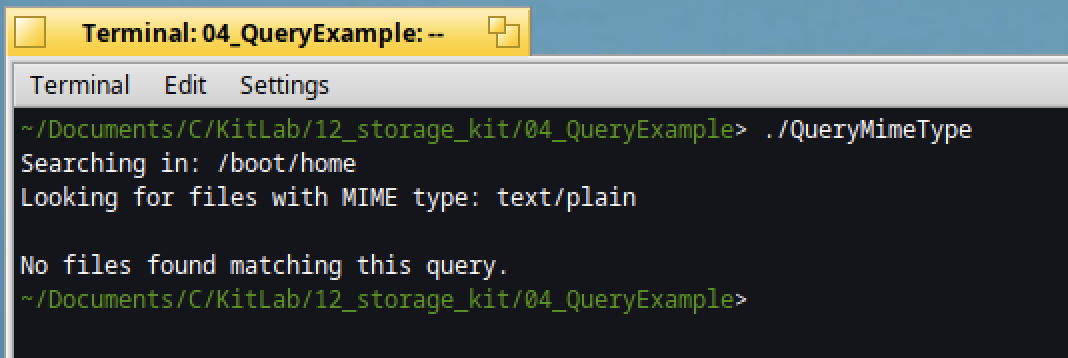
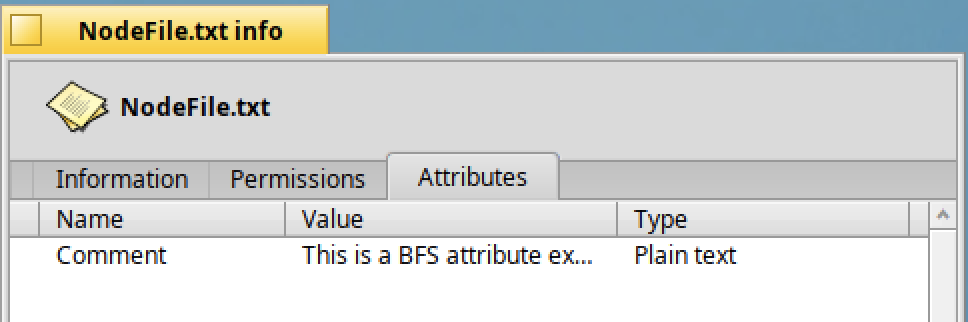
In the previous KitLab article, we have created a NodeFile.txt with a custom "Comment" attribute in the $HOME directory.
However, its MIME type is not yet "plain/text":
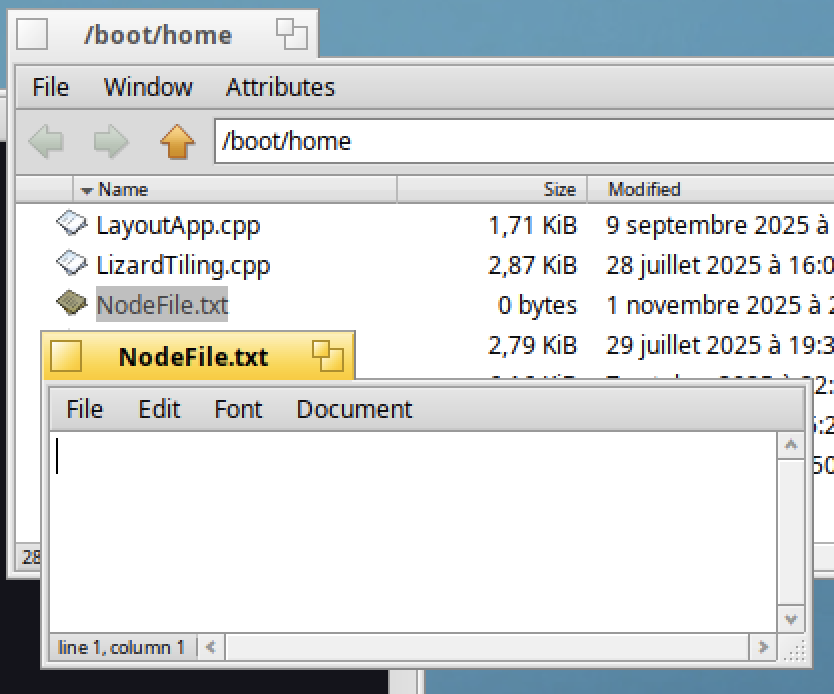
In the Tracker, open it with StyledEdit:
Select "Get Info" on the file.
StyledEdit has attached additional attributes to this file:
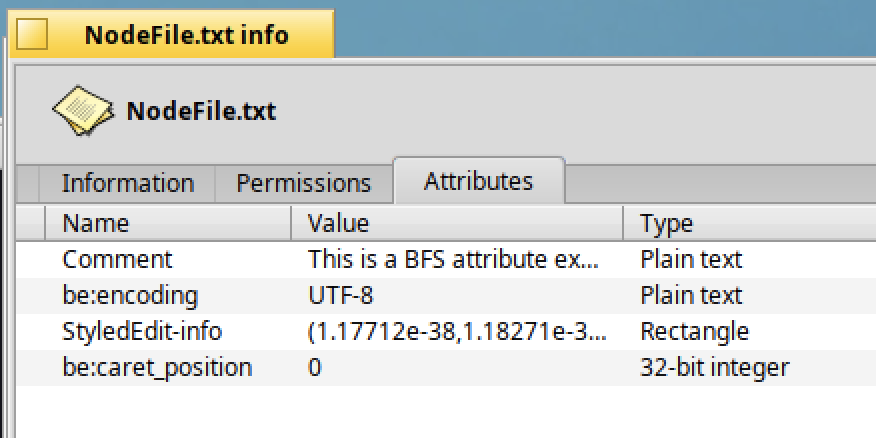
And the "plain/text" MIME type should now be attached to "NodeFile.txt".
Verify that by launching again QueryMimeType:
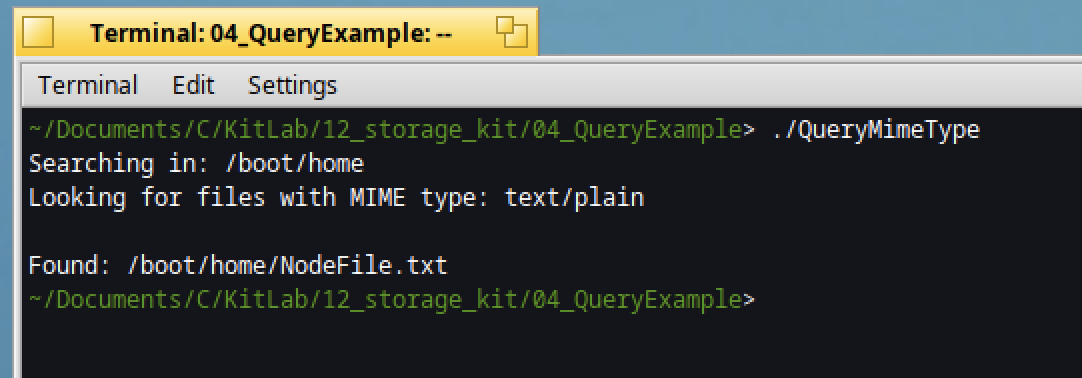
Bingo!
The NodeFile.txt is now displayed as a valid result of the query:)
You can also use the below query command to make the same kind of search for files in the $HOME directory:
If you need to query on all folders in the BFS volumes, type the below query:
Query for a custom attribute
Now launch the second program:
It will display all the files having a "Comment" attribute and a mimetype "text/plain":
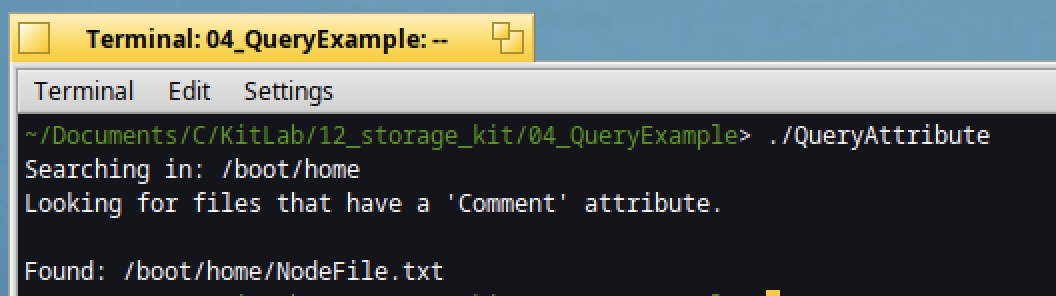
NodeFile.txt is the right candidate and is displayed in the results:)
You can also launch the corresponding query with the below command line:
Try this
-
Replace Comment==
"*"search with a specific string to find files whose Comment matches a keyword like: -
Combine other attributes than MIME type with
PushOp(B_AND) -
Build a Tracker add-on or file search tool based on BQuery.
Conclusion
Through these four KitLab articles, you’ve learned how to:
-
Access and manipulate files using
BEntryandBNode. -
Read and write metadata with custom attributes.
-
Use
BNodeInfoandBAppFileInfoto manage MIME information. -
Search your filesystem efficiently with
BQueryand indexed attributes.
With BQuery, Haiku extends file management beyond basic search.
Combined with BNode, it unlocks the full potential of Haiku’s metadata-driven filesystem, letting you build tools that search and filter data in real time.
We complete our exploration of the Storage Kit, one of Haiku’s most powerful and elegant components.
In the next KitLab articles, we’ll move on to another Haiku Kit — exploring new APIs, new possibilities, and continuing our journey into the Be-inspired architecture that defines Haiku.
Stay tuned — the next Kit is just around the corner.