
Support kit: streams and buffers
 DigitalBox
- KitLab
- March 30, 2026
In the previous KitLab article, we explored BList for managing dynamic collections.
Now let's discover Haiku's stream I/O system—a powerful abstraction that lets you read and write data uniformly, whether working with files, memory buffers, or network sockets.
The BDataIO hierarchy provides a consistent interface for all I/O operations, making your code more flexible and reusable. Understanding streams is essential for serialization, file handling, and data processing in Haiku.
Before we begin, note that this article is a bit dense, but it gathers essential information that will be genuinely useful in practice.
What is BDataIO?
BDataIO is an abstract base class that defines a simple interface for reading and writing data:
virtual ssize_t Read(void* buffer, size_t size) = 0;
virtual ssize_t Write(const void* buffer, size_t size) = 0;
That's it!
Any class implementing these methods can act as a data stream.
Key concept: Write code that uses BDataIO*, and it will work with files, memory, network—anything that implements the interface.
The Stream family
Haiku provides several concrete implementations of the stream concept.
Each class builds on the same BDataIO interface, but with different purposes.
Here are the most important ones:
BPositionIO (extends BDataIO)
While BDataIO only knows how to read and write, BPositionIO introduces the concept of where you are in a stream.
It adds methods for querying and modifying the current position:
Position()Seek()SetSize()
virtual off_t Position() const = 0;
virtual off_t Seek(off_t position, uint32 seekMode) = 0;
virtual status_t SetSize(off_t size) = 0;
With this, a stream becomes “navigable”: you can jump to the middle of a file, truncate it, or append data at any offset.
BMallocIO (extends BPositionIO)
BMallocIO represents a dynamic, automatically growing memory buffer.
Instead of asking you to manage allocations yourself, it expands as needed while you write data into it.
This makes it ideal when you want to build content in memory before saving it to a file or sending it elsewhere.
Some key characteristics:
- Allocates memory as needed
- Perfect for building data before writing to file
- Automatic cleanup when destroyed
- Can extract the buffer with
Buffer()
BMemoryIO (extends BPositionIO)
BMemoryIO provides a simple, fixed-size memory buffer.
Instead of growing dynamically, it works with memory you pre-allocate yourself, making it extremely lightweight and fast. This is the right choice when you already know the size of the data you’re working with.
Key characteristics:
- Uses pre-allocated memory
- Won't grow beyond initial size
- Lightweight and fast
- Perfect when size is known
BFile (extends BPositionIO)
BFile brings file I/O into the same stream abstraction as memory buffers.
Because it implements the BDataIO and BPositionIO interfaces, you can read and write files using the exact same methods used for memory streams. This uniformity makes your code much easier to reuse and generalize.
Key characteristics:
- All file operations through BDataIO methods
- Seamlessly interchangeable with memory streams
- Supports seeking and sizing
Why Use Streams?
Without streams, your code becomes tightly coupled to the destination of the data, forcing you to duplicate logic.
Streams eliminate this by unifying the I/O API.
Before streams:
void SaveData(const char* filename, MyData* data) {
    FILE* f = fopen(filename, "w");
    // File-specific code...
}

void SaveToMemory(char* buffer, MyData* data) {
    // Completely different code...
}
With streams:
void SaveData(BDataIO* stream, MyData* data) {
    stream->Write(&data->value, sizeof(int32));
    // Same code works for files, memory, network!
}
One function, infinite destinations.
The Demo: Buffer Editor
To make these ideas concrete, the sample application demonstrates several real-world operations that rely on streams.
We'll create a simple text editor that demonstrates:
- Loading files into a
BMallocIObuffer - Editing text in memory
- Saving through the
BDataIOinterface - Memory operations with
BMemoryIO - Stream interchangeability
This shows real-world stream usage patterns.
Source Code: BufferEditor.cpp
#include <Application.h>
#include <Window.h>
#include <View.h>
#include <TextView.h>
#include <ScrollView.h>
#include <Button.h>
#include <StringView.h>
#include <FilePanel.h>
#include <File.h>
#include <Path.h>
#include <Entry.h>
#include <Alert.h>
#include <String.h>
#include <DataIO.h>
#include <stdio.h>

const uint32 MSG_LOAD_FILE = 'LOAD';
const uint32 MSG_SAVE_FILE = 'SAVF';
const uint32 MSG_CLEAR_BUFFER = 'CLRB';
const uint32 MSG_SHOW_BUFFER_INFO = 'INFO';
const uint32 MSG_COPY_TO_MEMORY = 'COPY';
const uint32 MSG_FILE_SELECTED = 'FSEL';
const uint32 MSG_SAVE_PANEL_DONE = 'SVDN';

class BufferEditorView : public BView {
public:
    BufferEditorView(BRect frame)
        : BView(frame, "buffer_view", B_FOLLOW_ALL, B_WILL_DRAW),
          fBuffer(NULL),
          fBufferSize(0),
          fOpenPanel(NULL),
          fSavePanel(NULL)
    {
        SetViewColor(240, 240, 240);

        BRect bounds = Bounds();

        // Title
        BStringView* title = new BStringView(
            BRect(10, 10, bounds.right - 10, 30),
            "title", "Buffer Editor - BDataIO Streams Demo",
            B_FOLLOW_LEFT_RIGHT | B_FOLLOW_TOP);
        title->SetFont(be_bold_font);
        AddChild(title);

        // Info display
        fInfoView = new BStringView(
            BRect(10, 35, bounds.right - 10, 55),
            "info", "No file loaded - Buffer empty",
            B_FOLLOW_LEFT_RIGHT | B_FOLLOW_TOP);
        AddChild(fInfoView);

        // Text editor
        BRect textRect(10, 65, bounds.right - B_V_SCROLL_BAR_WIDTH - 10,
                       bounds.bottom - 110);
        BRect editRect = textRect.OffsetToCopy(B_ORIGIN);
        editRect.InsetBy(5, 5);

        fTextView = new BTextView(textRect, "textview",
                                  editRect,
                                  B_FOLLOW_ALL,
                                  B_WILL_DRAW | B_NAVIGABLE);
        fTextView->SetWordWrap(true);

        BScrollView* scrollView = new BScrollView("scrollview",
                                                   fTextView,
                                                   B_FOLLOW_ALL,
                                                   0, false, true);
        AddChild(scrollView);

        // Buttons row 1
        float buttonTop = bounds.bottom - 95;

        fLoadButton = new BButton(
            BRect(10, buttonTop, 110, buttonTop + 30),
            "load", "Load File",
            new BMessage(MSG_LOAD_FILE),
            B_FOLLOW_LEFT | B_FOLLOW_BOTTOM);
        AddChild(fLoadButton);

        fSaveButton = new BButton(
            BRect(120, buttonTop, 220, buttonTop + 30),
            "save", "Save File",
            new BMessage(MSG_SAVE_FILE),
            B_FOLLOW_LEFT | B_FOLLOW_BOTTOM);
        AddChild(fSaveButton);

        fCopyButton = new BButton(
            BRect(230, buttonTop, 360, buttonTop + 30),
            "copy", "Copy to Memory",
            new BMessage(MSG_COPY_TO_MEMORY),
            B_FOLLOW_LEFT | B_FOLLOW_BOTTOM);
        AddChild(fCopyButton);

        // Buttons row 2
        buttonTop += 40;

        fClearButton = new BButton(
            BRect(10, buttonTop, 110, buttonTop + 30),
            "clear", "Clear Buffer",
            new BMessage(MSG_CLEAR_BUFFER),
            B_FOLLOW_LEFT | B_FOLLOW_BOTTOM);
        AddChild(fClearButton);

        fInfoButton = new BButton(
            BRect(120, buttonTop, 220, buttonTop + 30),
            "info", "Buffer Info",
            new BMessage(MSG_SHOW_BUFFER_INFO),
            B_FOLLOW_LEFT | B_FOLLOW_BOTTOM);
        AddChild(fInfoButton);

        // Sample text
        const char* sample =
            "Welcome to Buffer Editor!\n\n"
            "This demo shows BDataIO streams:\n"
            "• BMallocIO - dynamic memory buffer\n"
            "• BMemoryIO - fixed memory buffer\n"
            "• BFile - file I/O (via BDataIO)\n\n"
            "Try loading a text file or editing this text,\n"
            "then save it to see streams in action!";

        fTextView->SetText(sample);
    }

    ~BufferEditorView() {
        delete fOpenPanel;
        delete fSavePanel;
        delete fBuffer;
    }

    void AttachedToWindow() override {
        BView::AttachedToWindow();

        fLoadButton->SetTarget(this);
        fSaveButton->SetTarget(this);
        fClearButton->SetTarget(this);
        fInfoButton->SetTarget(this);
        fCopyButton->SetTarget(this);

        fTextView->MakeFocus();
    }

    void MessageReceived(BMessage* message) override {
        switch (message->what) {
            case MSG_LOAD_FILE:
                HandleLoadFile();
                break;

            case MSG_SAVE_FILE:
                HandleSaveFile();
                break;

            case MSG_CLEAR_BUFFER:
                HandleClearBuffer();
                break;

            case MSG_SHOW_BUFFER_INFO:
                HandleShowBufferInfo();
                break;

            case MSG_COPY_TO_MEMORY:
                HandleCopyToMemory();
                break;

            case B_REFS_RECEIVED:
                HandleRefsReceived(message);
                break;

            case B_SAVE_REQUESTED:
                HandleSaveRequested(message);
                break;

            default:
                BView::MessageReceived(message);
                break;
        }
    }

private:
    void HandleLoadFile() {
        if (!fOpenPanel) {
            fOpenPanel = new BFilePanel(B_OPEN_PANEL,
                                        new BMessenger(this),
                                        NULL, B_FILE_NODE,
                                        false);
        }
        fOpenPanel->Show();
    }

    void HandleRefsReceived(BMessage* message) {
        entry_ref ref;
        if (message->FindRef("refs", &ref) != B_OK)
            return;

        BEntry entry(&ref);
        BPath path;
        entry.GetPath(&path);

        // Load file into BMallocIO
        BFile file(&ref, B_READ_ONLY);
        if (file.InitCheck() != B_OK) {
            ShowError("Failed to open file!");
            return;
        }

        off_t fileSize;
        file.GetSize(&fileSize);

        // Create BMallocIO buffer
        delete fBuffer;
        fBuffer = new BMallocIO();

        // Read file into buffer using BDataIO interface
        const size_t chunkSize = 4096;
        char chunk[chunkSize];
        ssize_t bytesRead;

        while ((bytesRead = file.Read(chunk, chunkSize)) > 0) {
            fBuffer->Write(chunk, bytesRead);
        }

        fBufferSize = fBuffer->BufferLength();

        // Display buffer contents
        fBuffer->Seek(0, SEEK_SET);
        char* text = new char[fBufferSize + 1];
        fBuffer->Read(text, fBufferSize);
        text[fBufferSize] = '\0';

        fTextView->SetText(text);
        delete[] text;

        // Update info
        BString info;
        info << "Loaded: " << path.Leaf() << " (" << fBufferSize << " bytes)";
        fInfoView->SetText(info.String());
    }

    void HandleSaveFile() {
        if (!fSavePanel) {
            fSavePanel = new BFilePanel(B_SAVE_PANEL,
                                        new BMessenger(this),
                                        NULL, B_FILE_NODE,
                                        false);
        }
        fSavePanel->Show();
    }

    void HandleSaveRequested(BMessage* message) {
        entry_ref dirRef;
        const char* name;

        if (message->FindRef("directory", &dirRef) != B_OK ||
            message->FindString("name", &name) != B_OK)
            return;

        BDirectory dir(&dirRef);
        BFile file(&dir, name, B_WRITE_ONLY | B_CREATE_FILE | B_ERASE_FILE);

        if (file.InitCheck() != B_OK) {
            ShowError("Failed to create file!");
            return;
        }

        // Get text from editor
        const char* text = fTextView->Text();
        int32 length = fTextView->TextLength();

        // Write using BDataIO interface
        ssize_t written = file.Write(text, length);

        if (written == length) {
            BString info;
            info << "Saved: " << name << " (" << written << " bytes)";
            fInfoView->SetText(info.String());

            BAlert* alert = new BAlert("Success",
                "File saved successfully!",
                "OK", NULL, NULL,
                B_WIDTH_AS_USUAL, B_INFO_ALERT);
            alert->Go();
        } else {
            ShowError("Write error!");
        }
    }

    void HandleClearBuffer() {
        delete fBuffer;
        fBuffer = NULL;
        fBufferSize = 0;

        fTextView->SetText("");
        fInfoView->SetText("Buffer cleared");
    }

    void HandleShowBufferInfo() {
        BString info;
        info << "Buffer Information:\n\n";

        if (fBuffer) {
            info << "Type: BMallocIO (dynamic memory buffer)\n";
            info << "Buffer size: " << fBuffer->BufferLength() << " bytes\n";
            info << "Current position: " << fBuffer->Position() << "\n";
            info << "Memory allocated: ~" << fBuffer->BufferLength() << " bytes\n\n";
            info << "BMallocIO grows automatically as you write data.\n";
            info << "Perfect for building data in memory before saving.";
        } else {
            info << "No buffer allocated.\n\n";
            info << "Load a file or edit text to create a buffer.";
        }

        // Text view info
        int32 textLength = fTextView->TextLength();
        info << "\n\nText View:\n";
        info << "Text length: " << textLength << " characters\n";
        info << "Lines: " << fTextView->CountLines();

        BAlert* alert = new BAlert("Buffer Info",
            info.String(),
            "OK", NULL, NULL,
            B_WIDTH_AS_USUAL, B_INFO_ALERT);
        alert->Go();
    }

    void HandleCopyToMemory() {
        // Demonstrate BMemoryIO - fixed size memory buffer
        const char* text = fTextView->Text();
        int32 length = fTextView->TextLength();

        if (length == 0) {
            ShowError("No text to copy!");
            return;
        }

        // Create fixed-size memory buffer
        char* memBuffer = new char[length + 100]; // Extra space
        BMemoryIO memIO(memBuffer, length + 100);

        // Write text to memory buffer
        memIO.Write(text, length);

        // Read it back (demonstrating BDataIO interface)
        memIO.Seek(0, SEEK_SET);
        char* readBuffer = new char[length + 1];
        ssize_t bytesRead = memIO.Read(readBuffer, length);
        readBuffer[bytesRead] = '\0';

        BString info;
        info << "Copied to BMemoryIO buffer:\n\n";
        info << "Written: " << length << " bytes\n";
        info << "Read back: " << bytesRead << " bytes\n";
        info << "Buffer size: " << (length + 100) << " bytes\n\n";
        info << "BMemoryIO uses fixed-size memory.\n";
        info << "Unlike BMallocIO, it won't grow automatically.";

        delete[] readBuffer;
        delete[] memBuffer;

        BAlert* alert = new BAlert("Memory Copy",
            info.String(),
            "OK", NULL, NULL,
            B_WIDTH_AS_USUAL, B_INFO_ALERT);
        alert->Go();
    }

    void ShowError(const char* message) {
        BAlert* alert = new BAlert("Error",
            message,
            "OK", NULL, NULL,
            B_WIDTH_AS_USUAL, B_WARNING_ALERT);
        alert->Go();
    }

    BMallocIO* fBuffer;
    size_t fBufferSize;

    BTextView* fTextView;
    BStringView* fInfoView;
    BButton* fLoadButton;
    BButton* fSaveButton;
    BButton* fClearButton;
    BButton* fInfoButton;
    BButton* fCopyButton;

    BFilePanel* fOpenPanel;
    BFilePanel* fSavePanel;
};

class BufferEditorWindow : public BWindow {
public:
    BufferEditorWindow(BRect frame)
        : BWindow(frame, "Buffer Editor - BDataIO Demo",
                  B_TITLED_WINDOW,
                  B_QUIT_ON_WINDOW_CLOSE | B_AUTO_UPDATE_SIZE_LIMITS)
    {
        BRect viewRect = Bounds();
        BufferEditorView* view = new BufferEditorView(viewRect);
        AddChild(view);
    }
};

class BufferEditorApp : public BApplication {
public:
    BufferEditorApp()
        : BApplication("application/x-vnd.example-BufferEditor")
    {
        BRect rect(100, 100, 650, 550);
        BufferEditorWindow* window = new BufferEditorWindow(rect);
        window->Show();
    }
};

int main() {
    BufferEditorApp app;
    app.Run();
    return 0;
}
The complete source code is available in the artifact above.
Here are the key concepts:
Loading a File into BMallocIO
BFile file(&ref, B_READ_ONLY);
BMallocIO* buffer = new BMallocIO();

// Read file into buffer using BDataIO interface
const size_t chunkSize = 4096;
char chunk[chunkSize];
ssize_t bytesRead;

while ((bytesRead = file.Read(chunk, chunkSize)) > 0) {
    buffer->Write(chunk, bytesRead);
}

// Buffer now contains entire file in memory
Key point: Both BFile and BMallocIO implement BDataIO, so we use the same Read() and Write() methods.
Writing Back to File
BFile file(&dir, name, B_WRITE_ONLY | B_CREATE_FILE | B_ERASE_FILE);

const char* text = fTextView->Text();
int32 length = fTextView->TextLength();

// Write using BDataIO interface
ssize_t written = file.Write(text, length);
Generic Write() method—works for files, sockets, anything!
Using BMallocIO
BMallocIO buffer;

// Write data - buffer grows automatically
buffer.Write("Hello", 5);
buffer.Write(" World", 6);

// Get size
size_t size = buffer.BufferLength();

// Seek back to start
buffer.Seek(0, SEEK_SET);

// Read it back
char data[20];
buffer.Read(data, size);
Automatic growth: No need to pre-allocate or reallocate manually.
Using BMemoryIO
char memBuffer[1024];  // Fixed size
BMemoryIO memIO(memBuffer, 1024);

// Write up to 1024 bytes
memIO.Write(text, length);

// Won't grow beyond 1024!
Fixed size: Fast and lightweight, but limited capacity.
How It Works
BDataIO — The Core Stream Interface
All stream classes in Haiku build on BDataIO.
It defines the two fundamental operations every stream must provide:
class BDataIO {
public:
    virtual ssize_t Read(void* buffer, size_t size) = 0;
    virtual ssize_t Write(const void* buffer, size_t size) = 0;
};
Each method returns the number of bytes processed, or a negative error code on failure.
This interface makes it possible to treat very different data sources — files, memory blocks, sockets — in the same way.
BPositionIO Interface — Streams With Random Access
BPositionIO extends BDataIO by adding the ability to seek and resize:
class BPositionIO : public BDataIO {
public:
    virtual off_t Position() const = 0;
    virtual off_t Seek(off_t position, uint32 seekMode) = 0;
    virtual status_t SetSize(off_t size) = 0;

    // Convenience: read/write at specific position
    virtual ssize_t ReadAt(off_t position, void* buffer, size_t size);
    virtual ssize_t WriteAt(off_t position, const void* buffer, size_t size);
};
Supported seek modes:
-
SEEK_SET — absolute position
-
SEEK_CUR — relative to current position
-
SEEK_END — relative to end of stream
Any class inheriting from BPositionIO can behave like a file: readable, writable, and seekable.
BMallocIO Details — A Dynamic, Auto-Growing Buffer
BMallocIO manages memory dynamically: the buffer grows automatically when writing past the current size.
BMallocIO buffer;

buffer.Write(data, size);           // Grows as needed
const void* ptr = buffer.Buffer();  // Get raw buffer
size_t length = buffer.BufferLength();
buffer.SetBlockSize(8192);          // Growth increment
Growth strategy: memory is allocated in blocks to minimize reallocations.
This makes BMallocIO ideal when building data gradually before writing it elsewhere.
BMemoryIO Details — A Lightweight Fixed-Size Stream
BMemoryIO operates on an existing, fixed-size memory block:
char storage[1024];
BMemoryIO memIO(storage, 1024);     // Read-write

BMemoryIO readOnly(storage, 1024, false);  // Read-only variant
Key points:
-
Uses caller-provided memory
-
Size is fixed — it will not grow
-
Very fast and minimal overhead
Position tracking works the same way as with any BPositionIO:
off_t pos = memIO.Position();Compilation
In a Terminal type:
gcc BufferEditor.cpp -o BufferEditor -lbe -ltrackerRunning the Demo
Then launch the editor:
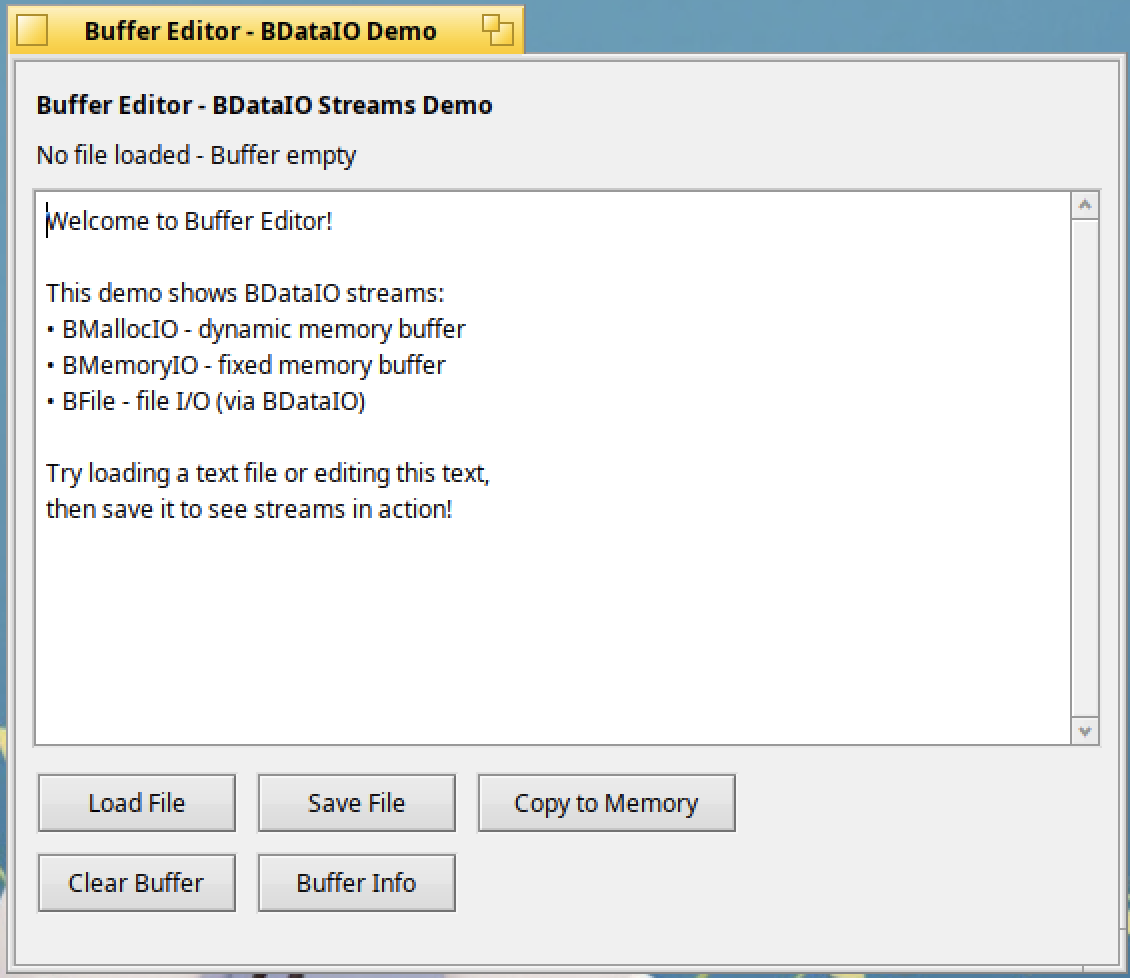
./BufferEditorYou'll see:
- The Text editor with sample text
- Load/Save buttons for file operations
- Buffer management buttons
Try this:
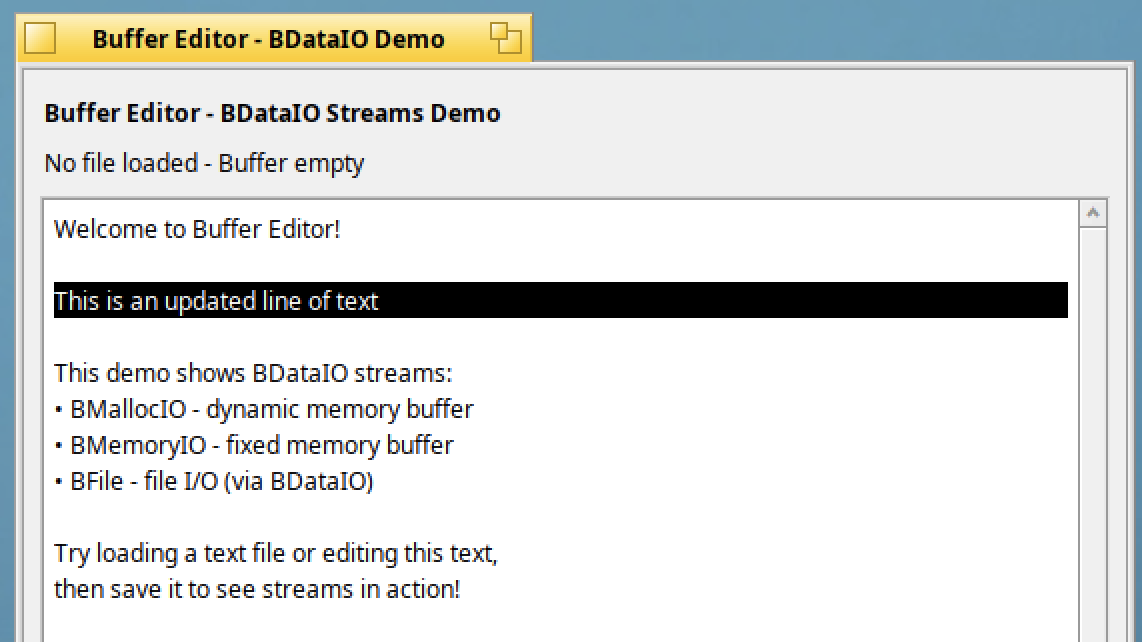
- Edit the sample text
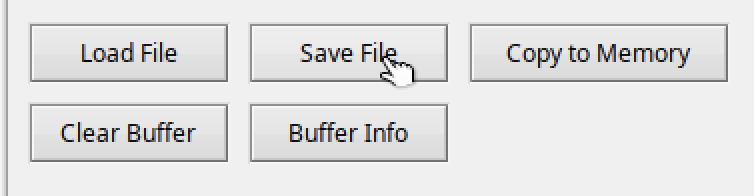
- Click "Save File" to write to disk
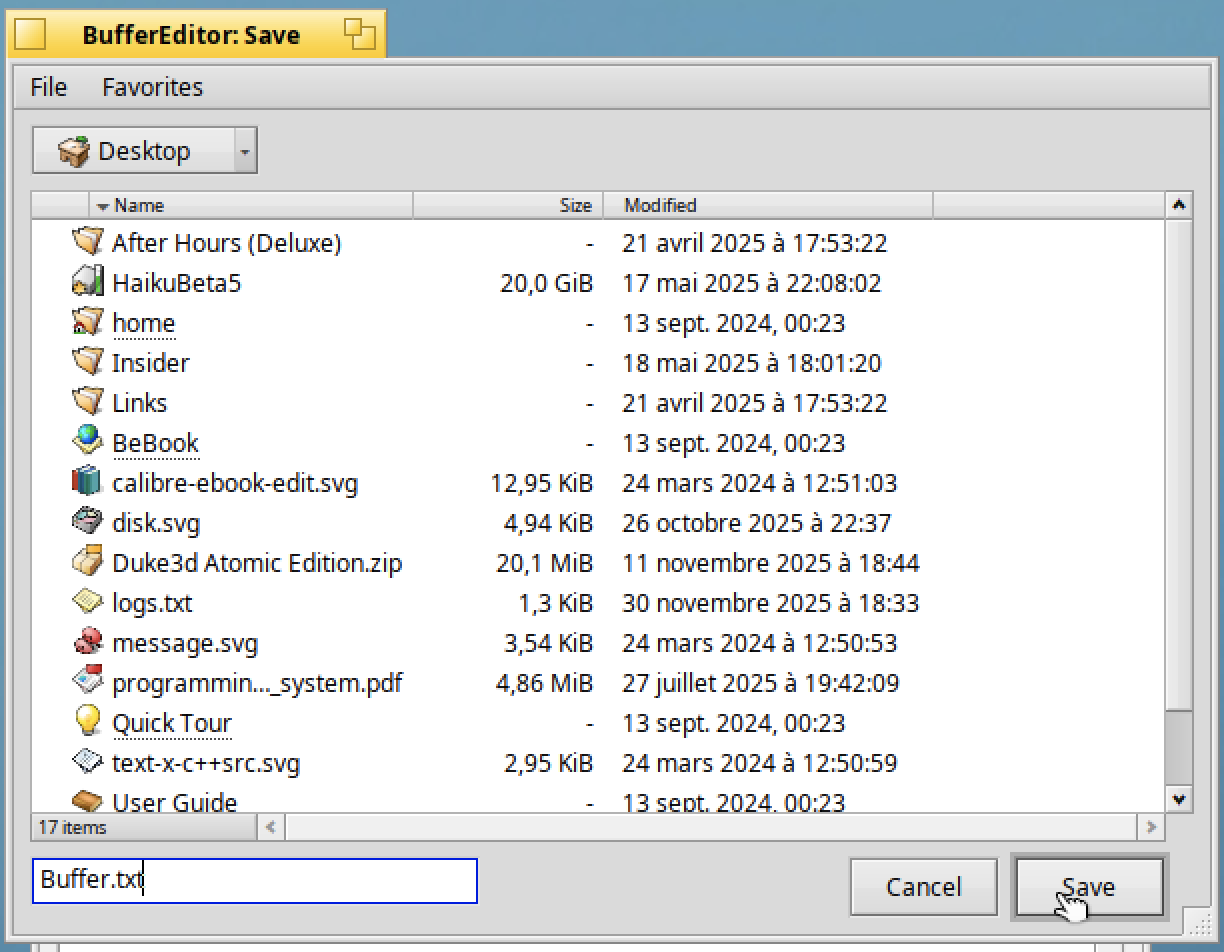
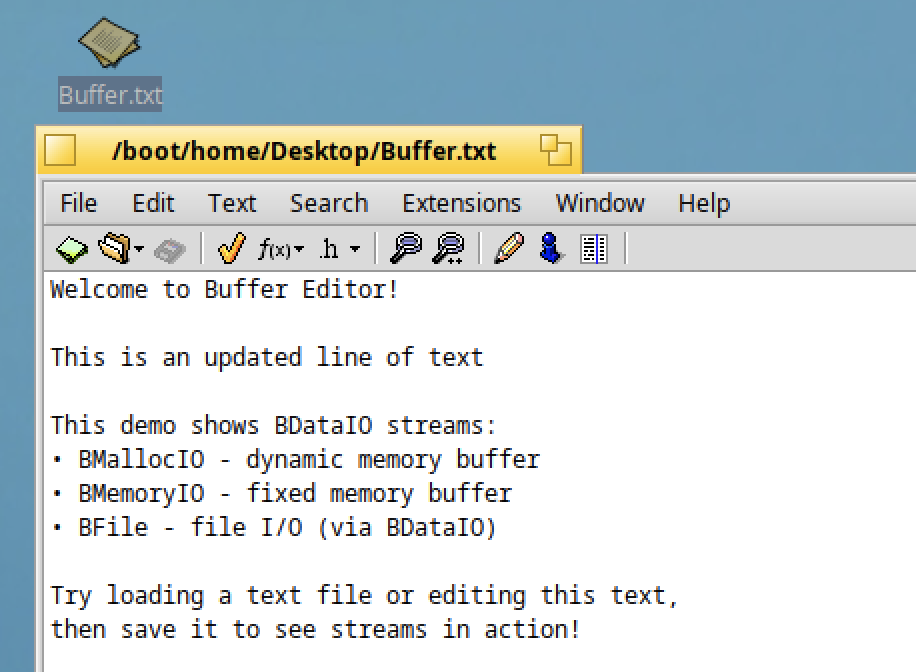
Enter the name of the file like "Buffer.txt":
If you open this file under Pe editor, you will see the file content:
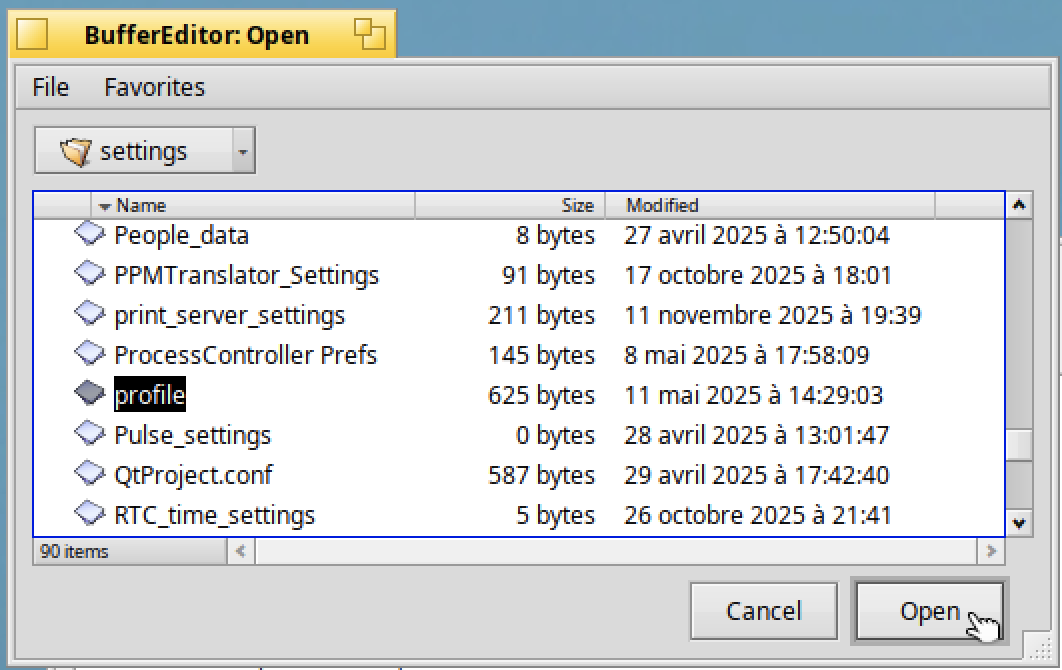
- Now under BufferEditor, click on "Load File" to read from disk, and select "/boot/home/config/settings/profile":
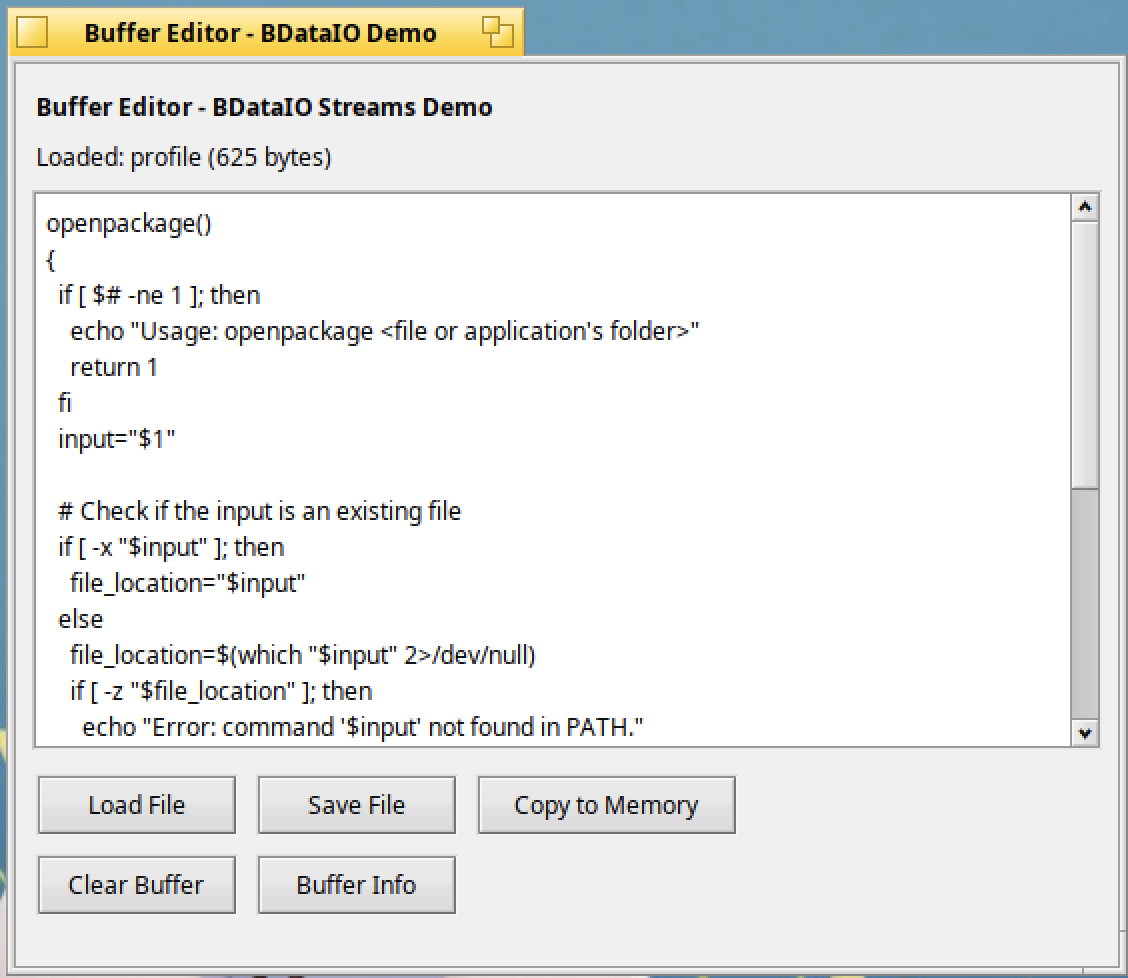
You will see the content of the file:
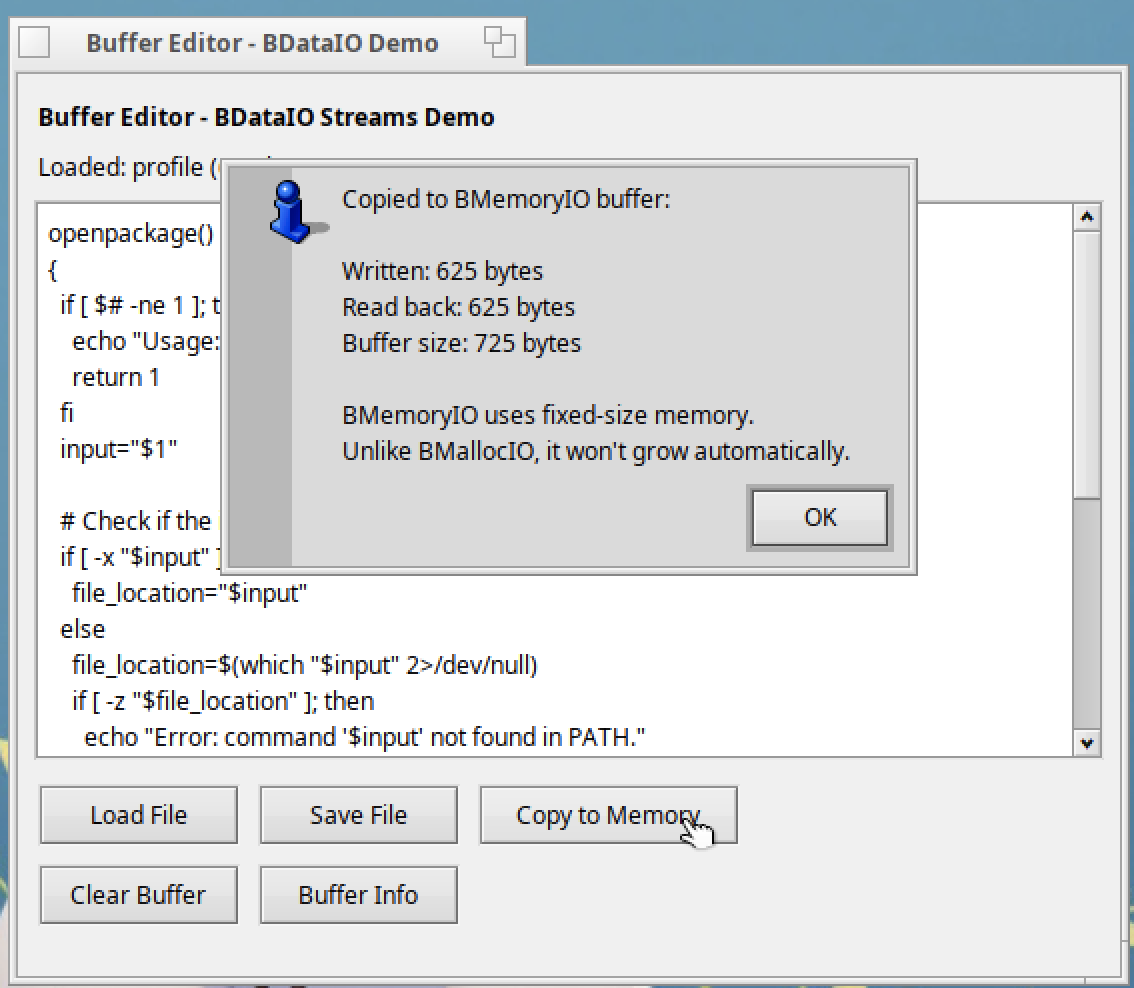
- Click "Copy to Memory" to see BMemoryIO:
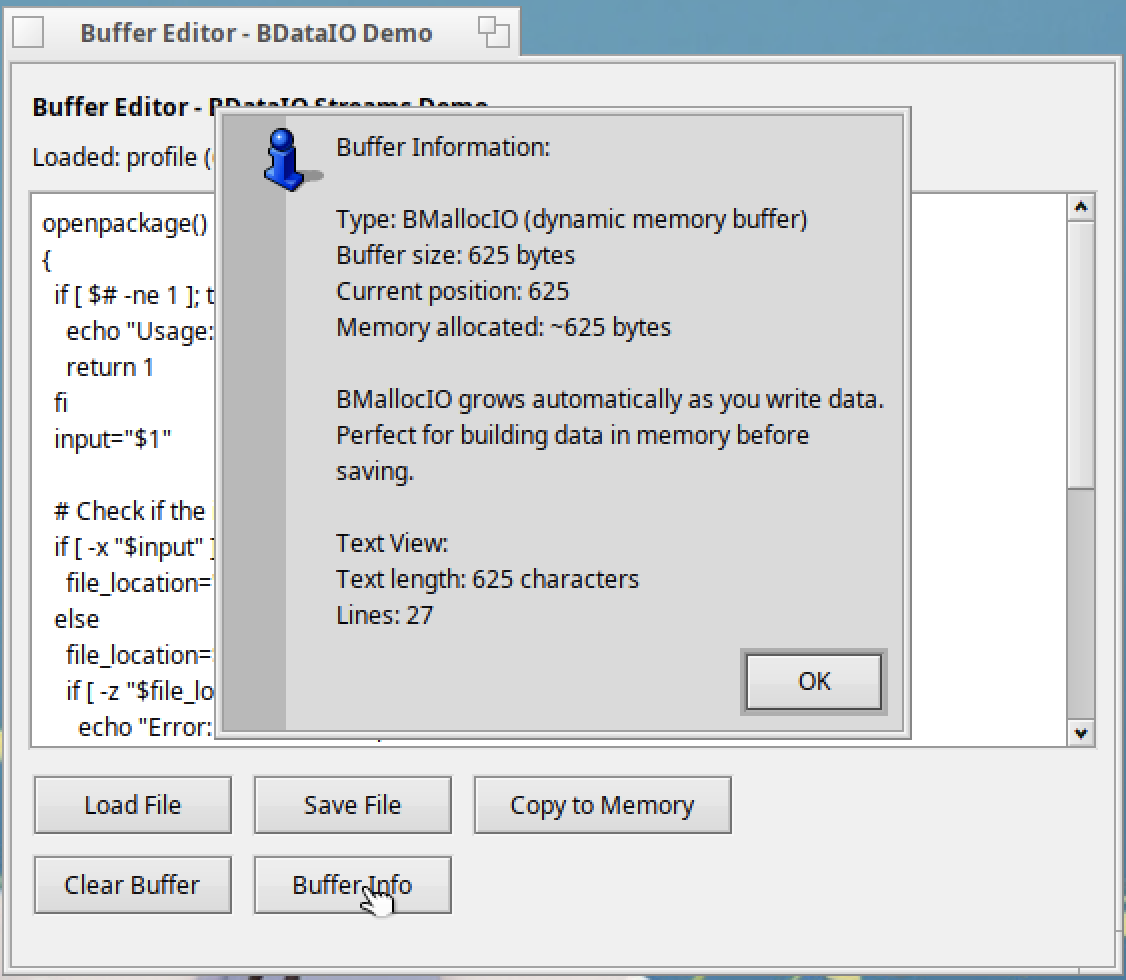
- Click "Buffer Info" to inspect internals:
Choosing the correct class
Before choosing which stream class to use, it helps to understand how BMallocIO, BMemoryIO, and BFile differ in performance, flexibility, and typical use cases.
| Class | Strengths | Limitations | Best Use Cases |
|---|---|---|---|
| BMallocIO | - Grows automatically - Flexible size - Good for assembling data in memory |
- Growth may cause reallocations - Slight overhead for large buffers unless SetBlockSize() is tuned |
- Building data before saving to disk - Serialization buffers - Temporary dynamic storage |
| BMemoryIO | - Fastest (no allocation) - Zero overhead - Predictable performance |
- Fixed size (cannot grow) - You must manage the memory yourself |
- Working with known-size buffers - Wrapping existing memory blocks - High-performance read/write operations |
| BFile | - Direct file access via the same interface - Works seamlessly with other BDataIO-based code |
- Small reads/writes can be slow without buffering - Seek operations cost more than memory-based streams |
- Reading and writing files - Interchangeable with memory streams - Use with BBufferIO for smoother performance |
Common use cases
Configuration files:
Using a memory-backed stream such as BMallocIO is a clean way to assemble configuration data before writing it to disk.
You can build the entire structure in memory, validate it, and only then commit it to a BFile. This avoids partially written files and keeps the code tidy.
BMallocIO buffer;
SaveSettings(&buffer);  // Build in memory

BFile file("/boot/home/config/settings", B_WRITE_ONLY | B_CREATE_FILE);
buffer.Seek(0, SEEK_SET);
// Copy buffer to file
This pattern is especially useful when generating structured data like JSON, custom binary configs, or serialized BArchivable objects.
Network Protocol:
One of the strengths of BDataIO is that it abstracts the source or destination of the bytes.
The same code can write to a file, a network buffer, or a memory stream — no special handling needed. This makes it incredibly convenient when implementing packet serializers, protocol layers, or message dispatchers.
void SendPacket(BDataIO* stream, Packet* packet) {
    stream->Write(&packet->header, sizeof(PacketHeader));
    stream->Write(packet->data, packet->size);
    // Works for BNetBuffer, BFile, or memory!
}
Because everything uses the same interface, unit tests become trivial: swap a real network stream for a memory-backed stream.
Image Processing:
mage pipelines often require several steps: decoding, filtering, and re-encoding.
Using BMallocIO as an intermediate buffer keeps everything in memory, avoids temporary files, and provides fast random access for filters that need to scan data multiple times.
BMallocIO imageBuffer;
DecodeJPEG(file, &imageBuffer);
ApplyFilter(&imageBuffer);
EncodeJPEG(&imageBuffer, outputFile);
This approach works well for thumbnails, batch processing, or any situation where you want to pass data between multiple components without touching the filesystem.
Try This
- Undo/Redo: Keep old buffer contents in a BList
- Auto-save: Periodically write buffer to temp file
- Binary editor: Display buffer in hexadecimal
- Compression: Compress buffer before saving
- Encryption: Encrypt buffer contents in memory
What's Next?
Now that you understand Haiku’s stream I/O system, the next KitLab article will explore BArchivable — Haiku’s elegant framework for serializing objects to persistent storage.
You’ll see how BArchivable allows you to save and restore complex objects.
Mastering BArchivable is the next step toward writing flexible, maintainable, and persistent Haiku applications.
Conclusion
The BDataIO stream hierarchy is one of Haiku's most elegant designs.
By providing a simple, uniform interface, it makes I/O code dramatically more flexible and reusable.
Master streams, and you've mastered one of the fundamental patterns in Haiku programming.
Stay tuned for the next KitLab article!