
Translation kit: exporting a document
 DigitalBox
- KitLab
- November 24, 2025
In this article, we’ll focus on a practical example: converting an RTF document to plain text.
Many applications need to read or process rich text formats like RTF, but sometimes you only need the raw text — for:
-
indexing or full-text search,
-
natural language processing,
-
previews or summaries,
-
feeding content into other tools.
Instead of writing your own RTF parser, you can let Haiku’s built-in translators do the work for you.
Example: converting an RTF file to a plain text
Here’s a simple program that reads an RTF file from the command line and saves the extracted text as exported_text.txt:
#include <Application.h>
#include <File.h>
#include <TranslatorRoster.h>
#include <iostream>
#include <cstring>

class DocExporterApp : public BApplication
{
public:
    DocExporterApp(int argc, char** argv)
        :
        BApplication("application/x-vnd.demo-rtf-text"),
        fArgc(argc),
        fArgv(argv)
    {
    }

    void ReadyToRun() override
    {
        if (fArgc < 2) {
            std::cout << "Usage: " << fArgv[0] << " <input_rtf_file>" << std::endl;
            PostMessage(B_QUIT_REQUESTED);
            return;
        }

        const char* inputFile = fArgv[1];

        // Open input RTF file
        BFile inFile(inputFile, B_READ_ONLY);
        if (inFile.InitCheck() != B_OK) {
            std::cout << "Failed to open input file " << inputFile << std::endl;
            PostMessage(B_QUIT_REQUESTED);
            return;
        }

        // Create output text file
        BFile outFile("exported_text.txt",
            B_CREATE_FILE | B_ERASE_FILE | B_WRITE_ONLY);

        // Get the system translator roster
        BTranslatorRoster* roster = BTranslatorRoster::Default();
        if (!roster) {
            std::cout << "Failed to get translator roster" << std::endl;
            PostMessage(B_QUIT_REQUESTED);
            return;
        }

        // Convert RTF to plain text
        status_t status = roster->Translate(&inFile, nullptr, nullptr, &outFile, 'TEXT');
        if (status != B_OK) {
            std::cout << "Conversion failed: " << strerror(status) << std::endl;
        } else {
            std::cout << "RTF successfully converted to plain text: exported_text.txt" << std::endl;
        }

        PostMessage(B_QUIT_REQUESTED);  // Quit application
    }

private:
    int fArgc;
    char** fArgv;
};

int main(int argc, char** argv)
{
    DocExporterApp app(argc, argv);
    app.Run();
    return 0;
}
How It Works
-
Input file: Opened as a
BFile. -
Output file: Created in the current directory as
exported_text.txt. -
The
'TEXT'output format tells the Translation Kit to strip all formatting (bold, font size, colors…) and keep only the readable content. -
TranslatorRoster: Automatically detects the input RTF and converts it to plain text.
-
BApplication: Ensures all translators are initialized properly.
This makes it perfect for text extraction — not for document preservation (all formatting from the RTF is lost)
Compile & Run
Save the code above as DocumentExporter.cpp
Then build it:
Select an RTF document of your choice, like below, a documentation of the ASSIMP viewer utility:
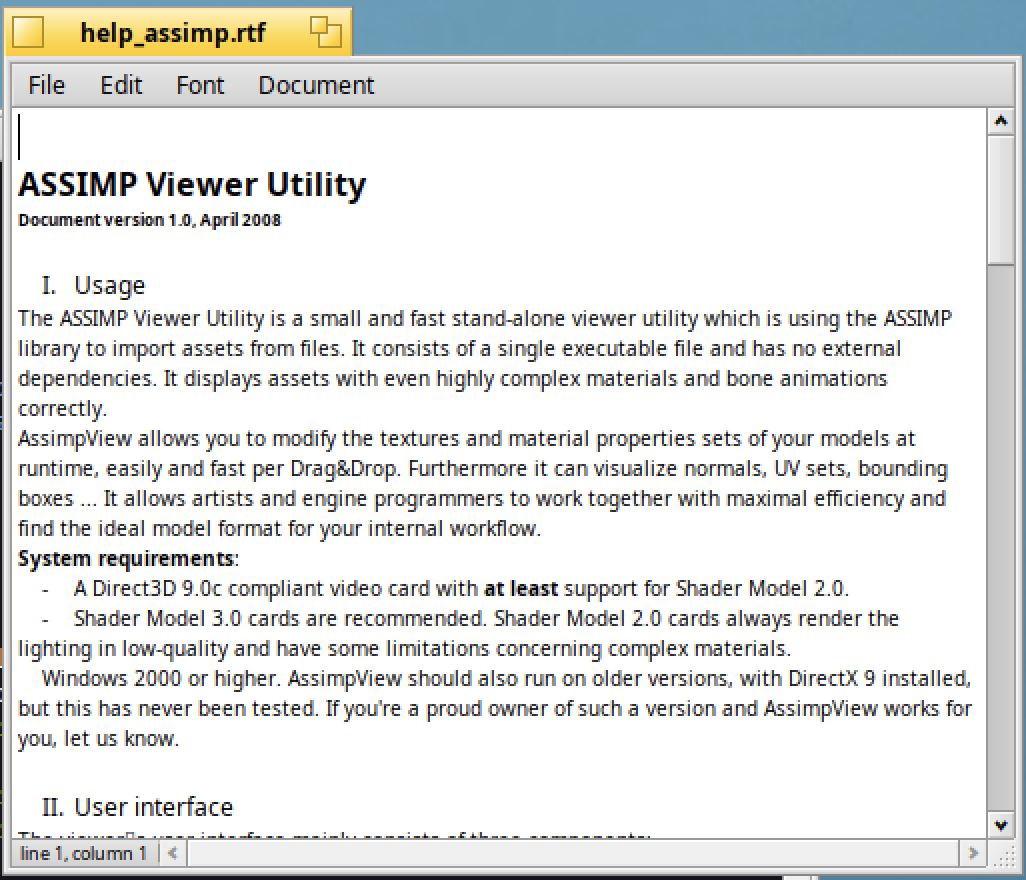
If you open this document via the lpe editor, you will notice all the extra tags useful for the formatting:
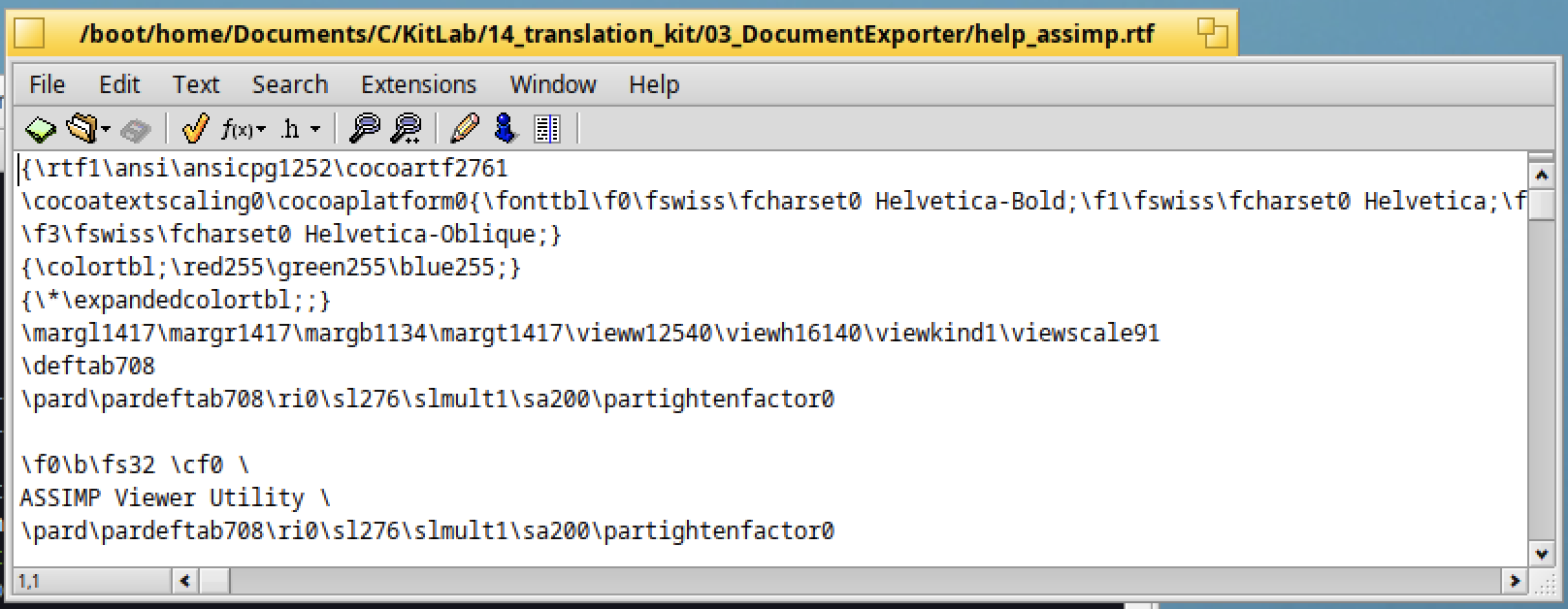
Convert this RTF file to TEXT like below:
If successful, you’ll get:

You can then open the resulting file in lpe or cat it from the terminal:
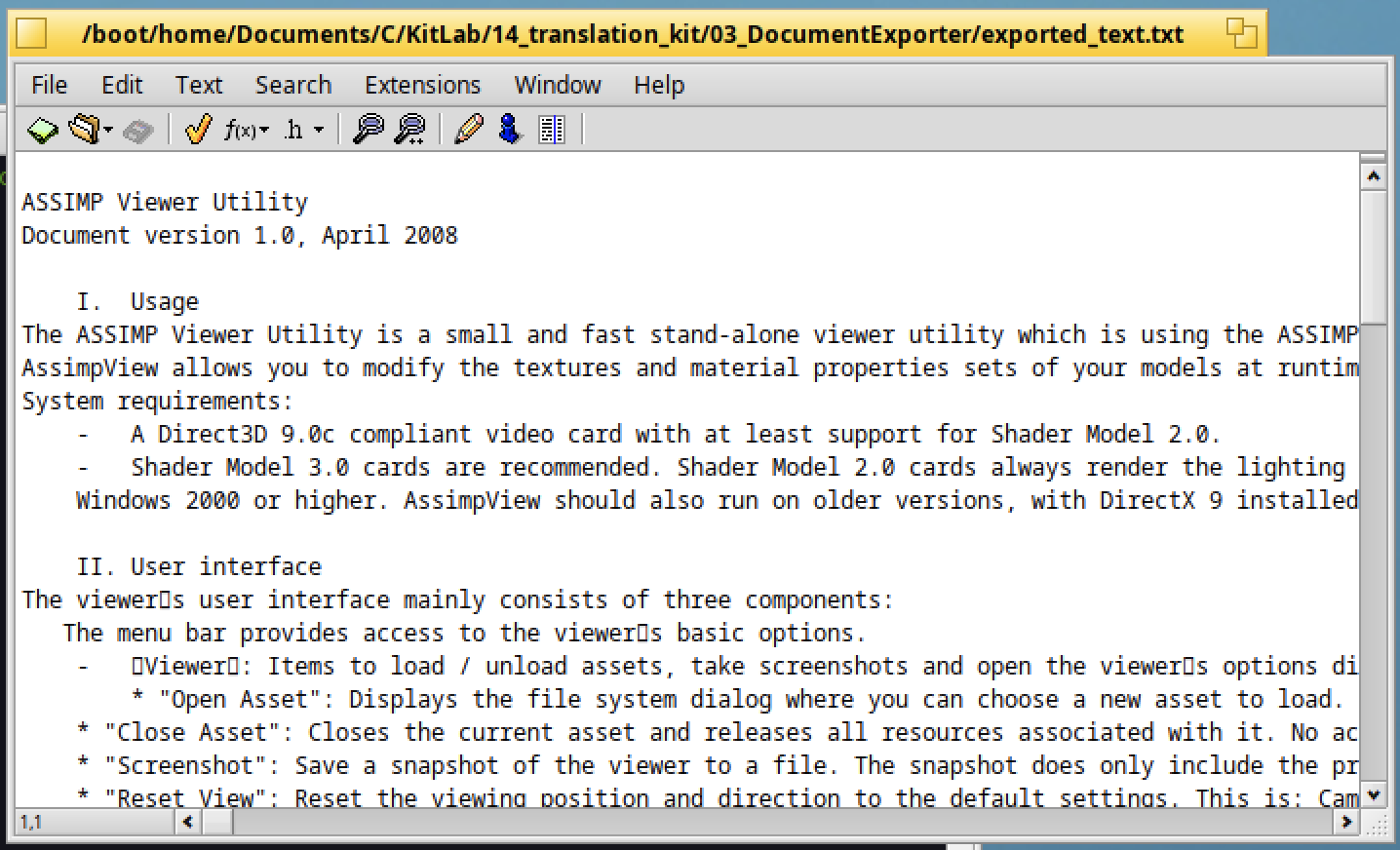
As you can see, you now have a plain text file of the original documentation:)
Try This
-
Modify the program to read the output filenames from the command line.
Why It Matters
-
Handles document conversion without custom parsing or encoding.
-
Works for plain text extraction.
What’s Next
In upcoming KitLab articles, we’ll explore how to write a simple translator.
Stay tuned!